Apps Like Color Shine - image splash for iPhone and iPad
Make colors shine in photos.
The app converts photos to grayscale while allowing users to selectively recolor areas. Users can paint, zoom, and erase to create color splash images.
by Alexander Dr. Rieger★ 3.85 ratingsPhoto & VideoFreeData updated 2026-10-01
Lets users adjust brightness and contrast to analyze tones in images. They can isolate light and dark areas to study shadows and highlights. Export grayscale versions for use in drawing or painting practice.
FACE & BODY TUNE PHOTO EDITOR, SOCIETATEA CU RASPUNDERE LIMITATA
Recolor in real time
Select and recolor specific sections with a precise brush. Preview different options and adjust intensity. Compare before and after views to choose your desired look.
Restore old, blurry, or damaged photos using AI-based enhancement. Adjust clarity, brightness, and color. Remove blemishes and red eye. Resize and export in various formats. Apply filters and effects. Share restored images directly.
Upload photos to create fine art. Apply oil-painting effects with adjustable brushstrokes and textures. Save and share high-resolution outputs. Customizable color palettes and brush sizes. Export images for printing or digital use.
The app transforms user photos into cartoon-like pictures using a toon shine effect. Users can apply filters to images taken with the device's camera and share them on social media or save them.
Edit photos with AI-powered lighting correction, exposure adjustment, and shadow detail enhancement. Retouch faces and bodies, experiment with makeup and hairstyles, and create collages or videos. Share edited content directly.
Create photos by setting diameter in pixels, millimeters, centimeters, or inches. Import or capture photos, zoom, and move images. Edit with filters, focus, effects, and text. Adjust colored borders. Save, print, email, or share the final image.
The app applies a sepia filter to photos, giving them a warm, yellow-brown tone. Users can adjust saturation and brightness, save multiple images, and share their creations on social media or via email.
Convert photos to grayscale and selectively specific areas using finger touch or custom colors. Draw with zoom and rotation for precision. Use a magnifier for detailed work. Undo mistakes or redraw in grayscale. Export edited images.
With AI-based auto image enhancer. Upscale images up to 4X without loss of . Recolor black and white photos automatically. Edit photos with color adjustments and resolution improvements.
The app automatically retouches facial photos by smoothing skin, removing imperfections and wrinkles, enhancing eyes, and whitening teeth. It also offers artistic effects and sharing options.
Merge photos into artistic compositions by selectively editing and combining image elements. Remove or re-add parts using finger painting techniques. Adjust brush settings for precise control.
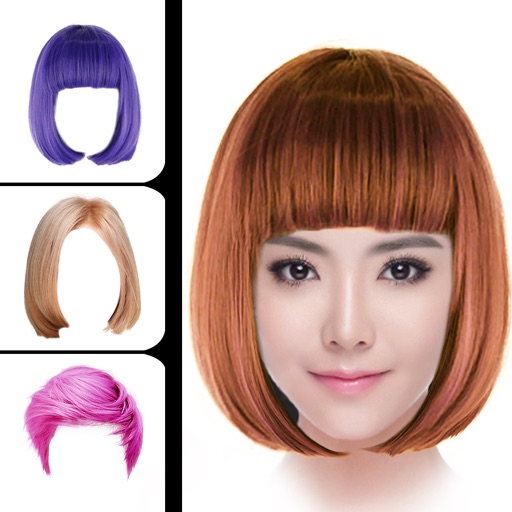
Change hair style using smart face recognition to automatically match hairstyles. Dye hair by selecting colors and applying them directly to the hair. Export styled results for viewing or sharing.
Create gallery-style portraits from images using automatic painting tools. Add color, light, and texture for realistic effects. Choose between classic-style brushes or modern-colored options. Save and share finished artworks.
Merge multiple photos into a single artwork by selecting and combining image sections. Remove or re-add parts using finger painting techniques. Adjust brush settings for precision.
The app allows users to remove and edit backgrounds of pictures. It offers smart and manual cutout tools, with options to move, zoom, rotate, and crop images.
Create custom bordered wallpapers from your photos
Create custom bordered wallpapers by importing photos from your library or selecting included images. Adjust border color, style, and opacity. Export wallpapers to your photo library and apply them to home or lock screens.