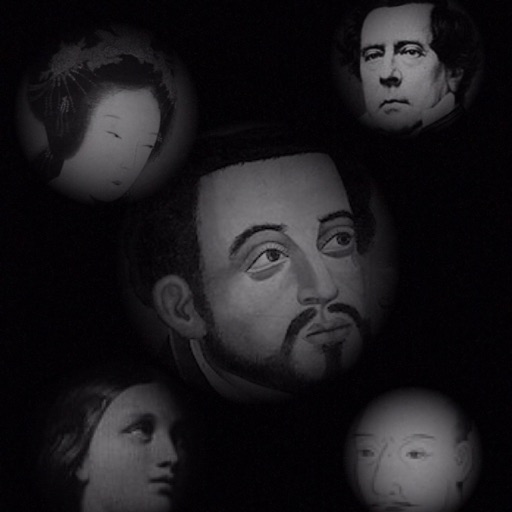
The app allows users to compose photos by combining images of people. Users can synthesize images in color or black and white, and adjust the size of faces using pinch gestures.
by Osawa Shunsuke★ 4.010 ratingsPhoto & VideoFreeData updated 2026-10-01
Create and edit drawings using various tools like Pen, Line, Arrow, Rect (Stroke/Fill), Ellipse (Stroke/Fill), Eraser, and Text. Choose from multiple colors including Black, Red, Green, Blue, Yellow, and more. Save or share drawings directly.
Edit photos by removing backgrounds with AI and replacing them with 250+ options. Apply 300+ ready-to-use templates. Add effects and adjust colors. Save and share edited images directly.
AI enhances photos and videos with one-tap processing. Adjust brightness, contrast, and color balance. Remove blemishes and imions. Add text overlays and stickers. Export in various formats and share directly.
Add frames, patterns, colors, and blur effects to profile pictures. Adjust background color and apply instant DP borders. Resize and rotate images for Instagram. Post full-size photos without cropping. Create images for social media.
Edit photos to slim the waist, shape the butt, tone arms, adjust thighs, increase bust size, and enhance skin tone. Remove blemishes and refine skin texture. Access in- tutorials for guidance. Export edited images in various formats.
Create videos using AI by adding text, music, and transitions. Edit photos with filters, effects, and AI enhancements. Generate AI art from images or ideas. Export and share final content directly.
The app offers creative photo editing with global and local tone and color correction. Users can retouch photos, move objects, and apply adjustable filters and textures partially.
Edit photos with color and film filters, vintage textures, and light leak effects. Adjust brightness, contrast, and saturation. Add vignettes and analog film sensations. Export edited images in various formats.
Find characters in black-and-white backgrounds. Solve puzzles to reveal scenes featuring cats, bears, bees, and other items. Progress through stages to unlock new characters and complete the game. Play without cost.
Edit photos and videos to post full size content to Instagram and other platforms without cropping. Add audio, effects, frames, text, stickers, and overlays. Trim, rotate, scale, and flip media.
Turn photos into retro video game-style images. Select pixel shapes, sizes, and color schemes. Adjust colors and flatten palettes. Pinch to resize pixels or double-tap to switch color modes.
Enhance blurry images to produce high-resolution faces. Unblur old photos for clearer results. Analyze historical images to reveal detailed facial features. Output sharpened versions of low-quality images.
Restore and enhance old or faded with automatic AI colorization and restoration. Remove haze or dull effects using the Dehaze Filter. Output high-resolution results in black and white or color.
Swap faces using AI technology to create realistic face swaps. Choose from various categories like professional, autumn, black and white, animals, or fashion. Edit and save the modified photos directly.