Apps Like MonkeyMote for foobar2000 HD for iPhone and iPad
Control playback and view track info
Control playback and view song information, lyrics, and cover art. Browse media library by metadata or folders. Adjust settings and manage playlists remotely via WiFi connection.
by Martin Tofall★ 4.667 ratingsUtilities$2.99Data updated 2026-09-08
The app turns a phone into a wireless mouse, keyboard, and trackpad for a computer. It allows control of a PC, Mac, or Linux device over a local network connection, offering features like remote media control and file browsing.
The app displays tablature and standard notation for multiple file formats. It offers MIDI playback with speed control, volume, and instrument assignment for tracks, along with a metronome and countdown.
Search for over 1,000,000 song titles. Play and sing along audio files. Adjust pitch and speed of audio. Transpose songs a button. Auto-scroll sheet music during playback. Manage personal sheet music library. Share sheet music others.
Play music, view pictures, and watch videos stored on DMS. Upload content from the device to DMS. Download content from DMS to the device. Supports protocol for streaming.
Search for nearby venues. Vote on songs in real time. View song lyrics and artist information. Control music playback with touch gestures. Display dynamic signage and promotions. Integrate with venue systems for automated drink and food sales.
Play files from local storage or services like Google Drive, Dropbox, and OneDrive. Import tracks via WiFi, iTunes, or iCloud. Support multiple audio formats including MP3, FLAC, WAV, and AAC. Listen without internet connection.
Play songs, queues, favorites, or playlists in shuffle mode. Access across devices. Create custom playlists. Set sleep timers for automatic pause. Enjoy high-quality audio. Listen to trending tracks. Control playback without interruptions.
The app offers playback controls, crossfade, and playlist management. It supports user audio files and iCloud songs, with limitations in the free version.
Import via Wi-Fi, Dropbox, or file manager. Play supported audio formats including MP3, FLAC, and AAC. Create custom playlists. Enable background playback and set a sleep timer.
Lets users upload to cloud services like Box, Dropbox, Google Drive, OneDrive, and Yandex.Disk. Connect the to access and play from those accounts. Sync across devices and manage playlists directly within the .
Stream remixes with fast playback and song titles. Search by song or DJ name, both online and offline. Set timers, save favorites, and control playback from Control Centre or headset. Includes a built-in keyboard.
Play live streams from , m3u, and formats. Open playlists via Files , messages, or links. Support for direct URL loading. Ensure smooth playback with adaptive streaming. View channel listings and organize playlists.
Play from YouTube without ads. songs and videos directly. Use background play and picture-in-picture for multitasking. Sync playlists from other platforms. Sync across devices using iCloud. Connect to car audio systems.
Allows users to audition and edit files. Modify control messages, transpose music, adjust tempo, and mute channels. Sync lyrics with audio. Create and manage playlists. Includes built-in sound library with DLS/S support. Save edited files to disk.
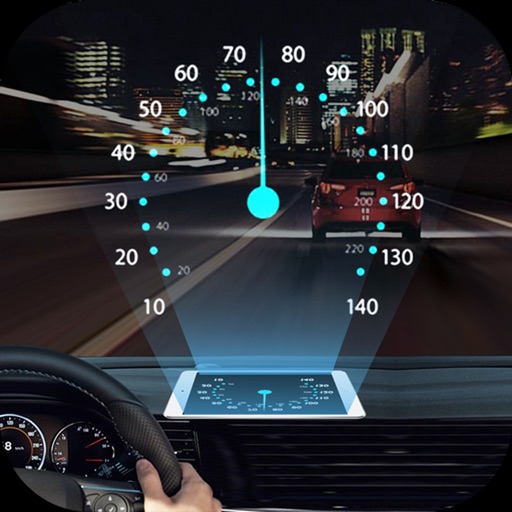
Projects speed, clock, weather temperature, cruise control, and now playing song information onto the windshield when iPhone is rotated and placed near the windshield. Displays data in landscape mode for easier visibility while driving.
Control music playback with volume adjustment, track skipping, and playlist management. Manage multiple Sonos speakers, set room-specific audio settings, and access a simplified interface for quick navigation.
And music collections with tags, playlists, and smart sorting. Search and filter songs by artist, genre, or mood. Create custom playlists and sync with devices. Export music metadata and manage file locations.