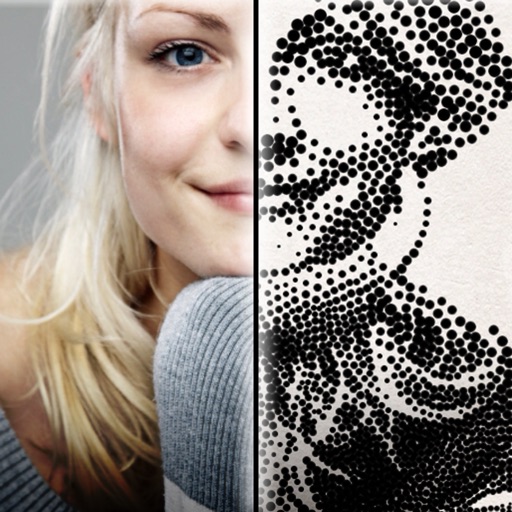
The app creates customized professional stipple drawings from photos using easy editing tools. Users can adjust contrast, brightness, and the number of dots to transform photos into unique works of art.
by Dotwerx LLC★ 4.639 ratingsPhoto & VideoFreeData updated 2026-09-30
Enhance photos with Hi-Def, Scenery, Food, Portrait, and Night modes. Apply over 100 free and purchasable filters. Add stickers, frames, and overlays. Touch up selfies with redey tool. Share edited photos directly.
Convert photos to black and white drawings for . Import photos from device or camera. Add colors using painting tools. Create drawings on blank canvas. Premium version offers more paint colors, opacity control, and outline editing. Removes ads.
Edit photos with texture overlays and film effects. Add retro vibes, glitches, and grain. Adjust brightness and contrast. Export and share edited images directly.
Upscale photos by 2×, 4×, or 8× using AI. Repair low-resolution images, retouch faces, and apply advanced enhancements. Supports macOS Tahoe 26 and works efficiently on M1/M2/M3/M4 chips. Export enhanced images directly.
Apply blur to portraits for a blurred effect. Adjust blur intensity and tweak brightness, temperature, tint, and saturation. Use live filters during editing. Export edited photos directly.
Edit photos with filters, masking, and color adjustments. Adjust brightness, contrast, and hue. Draw on images with customizable colors. Crop, rotate, and apply blur or focus effects. Export photos to the library.
The app combines geometric shapes with text and equation editing. Drawing data can be transferred for collaboration and backup, and drawings can be shared on social media.
Scan and save children's drawings as digital images. Adjust brightness, contrast, and color. Add borders and frames. Share via email or social media. Organize and view in a gallery format.
Create high-quality wallpapers with customizable effects and manual adjustments. Apply built-in filters for contrast, brightness, and color. Set static wallpapers with high-resolution images. Share wallpapers directly from the .
Edit by adding , quotes, artwork, handwritings, or drawings. Customize watermarks and reuse them. Enhance images with overlays and creative designs. Adjust and annotate for personal or artistic expression.
Edit photos with brightness, contrast, and color adjustment tools. Apply over 1000 effects and filters. Add text, stickers, and animations. Share photos directly to social media or email. Export in various formats.
Objects, people, blemishes, and acne from photos using AI-powered background removal. Edit images to replace or erase unwanted elements. Export edited photos in various formats.
Apply art to photos for creative visuals. Add spiral effects and blur backgrounds. Use emoji art, background art, and outline art to enhance images. Apply AI, cartoon, neon, and mask effects. Create retro, atlantis, and big camera styles.
The app offers photo editing tools including insta square, color splash, and collage maker. Users can create unique photos with various filters, effects, and text options.
The app allows users to add unlimited stickers to photos. Users can select, scale, rotate, and adjust photo appearance with brightness, saturation, and contrast tools.
Create self-portraits with sketch and artistic effects. Apply filters like sketch, painting, and pixelate. Save photos to the library or share on social media platforms. Print images directly.
The app provides 1000 unique color filters and 98 grid filters for photo editing. It allows users to record videos with filters and supports live photos.