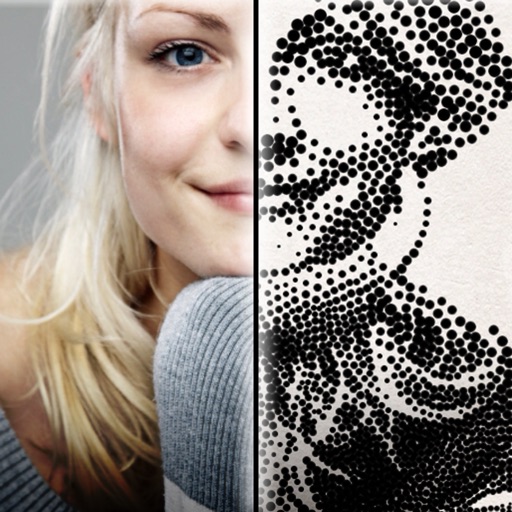
The app creates customized professional stipple drawings from photos using easy editing tools. Users can adjust contrast, brightness, and the number of dots to transform photos into unique works of art.
by Dotwerx LLC★ 4.639 ratingsPhoto & VideoFreeData updated 2026-09-30
Edit photos with filters, beauty tools, and artistic effects. Adjust skin tone, eyes, and lighting. Add stickers, text, and frames. Export in multiple formats and share directly. Sync with mobile edition for consistent editing experience.
Create customized monogrammed with selectable backgrounds and text. Add unlimited text elements and apply filters for color, brightness, contrast, and saturation. Adjust hue and add effects like vignette. Include design elements and stickers.
Turn selfies into anime characters or figures using AI. Apply fun filters and styles. Reimagine pets as humans or create collectible action figures. Edit and share transformed images directly.
Edit photos with detailed controls including frames, filters, contrast, brightness, and saturation. Adjust images to create a classical atmosphere. Apply effects and save changes to the device's photo album.
Backgrounds and unwanted objects from photos using AI-powered tools. Edit and arrange images, then save as PNG, JPG, or WebP. Share directly or export in high-resolution formats. No watermarks in free version.
Add holiday , backgrounds, and text to photos. Adjust brightness and contrast for better visibility. Share edited images directly to social media or via email.
Turn photos into sketches, oil paintings, and watercolor with style transfer. Apply filters to enhance visuals. Export edited images in various formats and share directly.
Edit photos and videos with vintage and retro styles using curated presets. Apply filters to adjust color, contrast, and tone. Use templates for minimal, paper, film, or polaroid effects. Export edited content in various formats and share directly.
The app transforms photos into halftone and rasterized artwork using dots, lines, and shapes. It offers creative modes like Grid, Interlaced, Radial, and Photo, with options for bicolor, multicolor, or full color.
Edit and enhance grayscale photos with 20 predefined presets and custom adjustments. Apply vignette effects and modify color channels. Save personalized presets. View and share monochrome images directly.
Organize photos and videos by date with a calendar view. Create albums for special events and memories. Automatically sort media by capture date. Store unlimited photos and videos without cost. Share albums directly from the .
Faces allows users to overlay their on various funny images. Users can select from 12 categories and 300+ photos. They can take a selfie or upload an image and place their on the selected .
Edit photos with filters, effects, and AI tools to remove or blur backgrounds. Add stickers, text, and frames. Apply glitch, neon, and drip effects. Adjust colors and crop images. Export and share edited photos directly.
Edit photos by removing backgrounds with AI and replacing them with 250+ options. Apply 300+ ready-to-use templates. Add effects and adjust colors. Save and share edited images directly.
The app allows users to customize their iPhone camera with various atmospheric photo styles. It offers adjustments for brightness, contrast, blur, focus, and vignetting, along with 18 color filters.