Create applications without coding or programming knowledge using drag-and-drop interface. Build simple calculators or complex light shows. Access free software with optional in- purchases for additional patches. Submit feature suggestions via email.
by Thomas Günzel★ 0.00 ratingsDeveloper ToolsFreeData updated 2026-09-08
Helps users compose emails and generate replies quickly using AI. It offers templates for common types, suggests subject lines, and provides draft content. Users can edit and refine suggestions before sending.
Apply to jobs with a single swipe. Customize cover letters and track application status. AI handles application details and reduces repetitive tasks. Manage job applications and receive updates.
Write calculations directly on the screen for real-time results. Edit equations with gestures or add elements anywhere. Drag and drop previous results for reuse. Supports interactive ink for natural handwriting input.
Manage devices remotely with screen sharing and lock/wipe capabilities. Track location and set geo-fencing alerts. Enforce password policies and MDM profiles. Filter web and Safari content. Store files and access store content.
Calculate for a specific conductor run or determine wire size based on and current carrying capacity. Limits wire size to and NEC ampacity. Supports AWG and KCMIL sizes only.
Perform calculations with a clean interface. Switch between light and dark themes. Use multitasking on iPad. Access on Apple Watch with complications. Share results via iMessage.
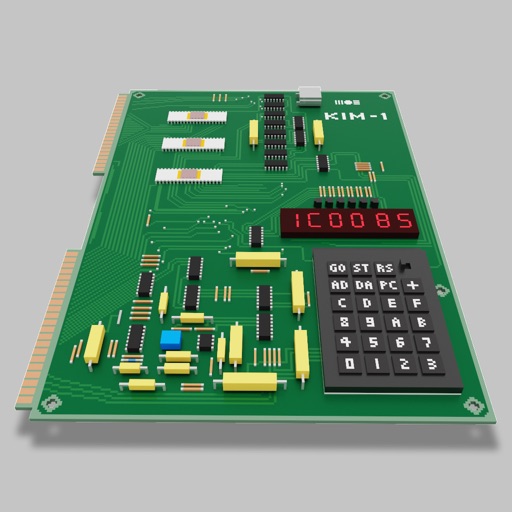
Users can assemble and debug assembly code using a simple interface with 7-segment LEDs and buttons. Run programs on an emulated 8-bit processor. Solve programming puzzles and explore hardware components used in early home computers.
Scan and solve any question by snapping a photo. Get instant answers with step-by-step explanations. Use AI to enhance problem-solving, writing, language learning, coding, and knowledge expansion. Summarize texts and generate study materials.
Create and manage personal calendars with handwritten and drawings. Color code events for organization. Drag and drop to reschedule. Add rich text entries via keyboard. Sync with Apple Pencil for precise input.
Allows users to perform complex calculations with a natural display that shows expressions as written. It supports fractions, roots, and exponents. The includes a graphing module for visualizing equations.
Perform calculations with a clean interface. Store and reuse numbers using the Memory Area. Bookmark equations for quick access. Drag and drop values between calculations. Switch between scientific and basic modes. Export results as text or image.
Control workspace remotely from any location. Flag cues during tech rehearsals. Adjust audio levels from the front row. Modify geometry and cue parameters. Connect to 3.0 or later. Some features require 4 or 5.
Languages like HTML, JavaScript, Python, and Java through interactive lessons and game-like challenges. Complete code examples, access 35+ courses, and use a fast compiler to test and run code instantly.
Create and organize with color coding and drag-and-drop functionality. Quickly add memos using Touch ID. Sync across devices. Assign colors to differentiate memos. Drag and drop memos for rearrangement.
Create emails, essays, blogs, and other text content quickly using advanced AI. Summarize text into bullet points or key ideas. Answer complex questions and act as a chat companion, interviewer, or virtual professor.
Create realistic designs with drag-and-drop furniture
Create photo-realistic designs by dragging and dropping over 2000 furniture and material items. Test material combinations or import custom textures. Generate 3D views and adjust lighting and colors. Save and share plans.
Access Git repositories on iOS. Clone repositories to get local copies with all branches. Edit files, commit changes, and push updates. Work offline and sync when online. Allow other apps to access repositories via the Files .