Apply filters to live camera feed to create cartoon-style images. Capture photos or record videos with real-time cartoon effects. Adjust styles and save edited content directly.
by Eun Junseok★ 3.01 ratingsPhoto & VideoFreeData updated 2026-09-08
Edit photos by adding text with customizable fonts and calligraphy styles. Insert names as signatures with unique designs. Adjust text size and placement. Share edited images directly.
Create artistic images with single-tap camera effects and professionally designed filters. Adjust brightness, contrast, and tone curve. Blur and focus images. Rotate, crop, and resize photos. Add text and fun stickers.
Record videos and apply real-time . Add animated overlays and custom soundtracks. Adjust speed and export in HD. Share to social media or send via iMessage and email. Import existing videos for editing.
Apply ultrasound-style filters to photos and videos
Apply filters to photos and videos to create ultrasound-like visual effects. Adjust filter intensity and choose from multiple scan patterns. Save and share edited content directly.
Apply to photos with adjustable strength and shape options. Add 50+ filters and crop images. Use double exposure feature. Edit smoothness and export edited photos.
Add cartoon to photos to create keepsakes for . Select from over 40 for different occasions. Share edited photos family or save as souvenirs. Edit images by choosing and adjusting layouts.
Edit videos and to create tilt-shift effects with adjustable parameters like depth of field and focus. Apply filters, adjust colors, and add motion blur. Export edited content in various formats and share directly.
Control a four-axis drone via iOS device. View real-time video feed from the drone using WiFi. Capture photos and videos directly from the mobile phone.
Edit photos by selecting from the gallery or capturing with the camera. Apply various and effects. Adjust position, size, and angle. Save, share, or upload images to social media platforms like Facebook, Twitter, and email.
Take photos with consistent composition to track changes over time. Use previous images as guides for new shots. View sequential photos to observe gradual transformations like body changes or plant growth.
Take photos with a customizable interval . Adjust angles manually or set the device to capture automatically. Edit images with basic tools and export for social media, messaging, or dating profiles.
Take selfies with filters and skin enhancement tools. Edit photos with cropping, adjustments, and options. Record HD videos and apply color filters. Share edited content directly.
Apply to images. Choose from Niagara Fall, sea surf sunset, and nature scenes. Share edited photos with friends and family. Add special effects to capture memorable moments.
Blur faces automatically using facial recognition. Add blur, solid color, or emoji to hide faces. Resize and reshape blur regions. Adjust color and effects. Share edited images to photo library and other apps.
AI image creation allows users to generate images from text descriptions or convert photos into cartoon, illustrated, or stylized versions. Users can apply fun hair color changes and create AI headshots.
Record videos by pressing shoot and record buttons. Display recording time in lower right. Apply real-time color and rotation effects. Create surreal visuals by transforming ordinary scenes into different worlds. Add and other creative effects.
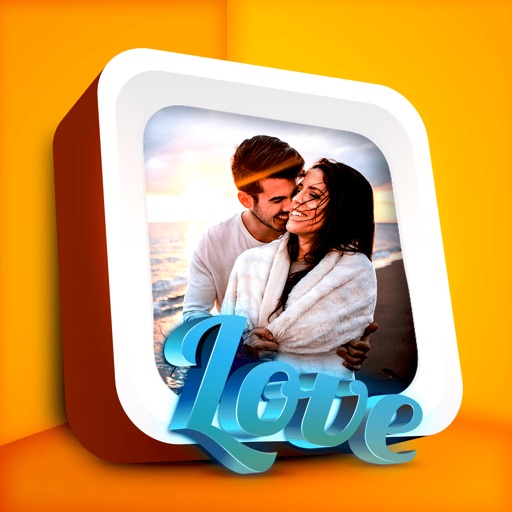
Edit photos by applying romantic from a gallery. Add text and filters. Resize or move images. Save edited photos. Decorate images with 3D for creative expression.
Create 4th of themed photos with customizable frames and stickers. Add patriotic effects and text. Share edited photos directly to social media or messaging apps.
The app allows users to create unique images with special effects by combining photos with text. Users can add stylish text, masking, collages, frames, filters, and geometric shapes to their photographs.