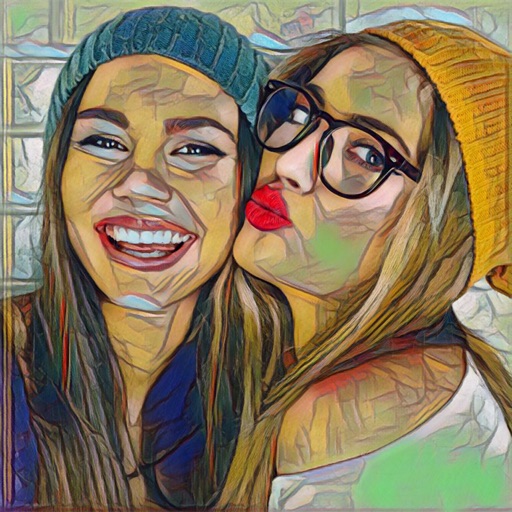
Apply filters to live camera feed to create cartoon-style images. Capture photos or record videos with real-time cartoon effects. Adjust styles and save edited content directly.
by Eun Junseok★ 3.01 ratingsPhoto & VideoFreeData updated 2026-09-08
Apply AI-powered filters to photos and videos. Transform images into anime, Pixar-style, or claymation art. Access 50+ creative filters for different art styles. Add animated effects to photos. Share edited content directly.
Edit photos and videos using AI-generated styles and effects. Apply filters, adjust colors, and transform images into different artistic styles. Share edited content directly to social media platforms.
Edit photos with AI filters, cartoon styles, and restoration tools. Enhance image details and convert blurry or damaged photos to HD. Apply over 200 AI templates to generate creative photos. Upload selfies to try different styles.
Record videos with built-in effects and camera . Apply magic effects during recording. Edit videos with visual adjustments. Share finished videos to social media platforms. Adjust settings for easier effect creation.
Enhance photos by upsizing resolution up to four times. Remove blur and scratches from old images. Add color to black and white photos. Convert photos to cartoon style. Generate AI-based LinkedIn photos.
Edit photos with 30+ art and cartoon . Apply hipster-style to images. Save and share edited photos directly. Adjust brightness, contrast, and saturation. Export in standard image formats.
Create animated from videos, live photos, or continuous shots. Automatically rotate photos. Edit and customize . Share directly with friends or social media platforms.
Apply filters to photos and videos for stylized effects. Swap faces in videos for creative self-portraits. Use pose guides and trendy hairstyles to enhance photo composition. Adjust filters and effects for customized artistic outcomes.
Edit photos with splash effects, convert images to black and white, or apply custom colors. Add filters, zoom in on photos, and use a brush tool. Export and share edited images directly.
Edit photos with effects, filters, and motion stickers. Apply virtual and adjust skin tone. Snap selfies with candy filters. Share edited photos to social networks.
Apply to photos and videos in real time. Edit existing media from the camera roll. Organize into categories for quick access. Share edited content directly to social media. Adjust brightness, contrast, and color settings.
Create collages with multiple layouts and effects. Combine photos from gallery or camera. Merge videos into single clips. Add transitions and effects. Edit images with cropping and filters. Share finished collages directly.
Create sketches from photos or camera captures with "," "Doodle," and "Hatch" styles. Adjust colors for black-white or vibrant results. Save images with a single tap. Share generated sketches directly.
The app allows users to transform their photos and videos into cartoons. Users can create their story with toon effects and make cartoon selfies easily.
Edit photos by selecting from Camera Roll or taking new shots. Apply real-time effects to create prism-like glass pieces. Adjust frames, shapes, and patterns. Rotate, resize, and drag elements for custom designs. Export and share edited images.
Edit photos by swapping faces using AI technology. Adjust facial features and apply filters. Copy faces from one image to another. Create realistic or humorous -over effects. Share edited images directly.
Apply real-time filters and to videos and photos with one tap. Choose from glitch, VHS, and retro styles. Capture photos during recording. Edit and share art instantly.
Create and share short videos as animated GIFs or MP4. Capture frames with the or import photos, videos, or live photos. Apply real-time color filters, add text or frames, and record stop motion.