Apps Like VFX : Video Editing & Filters for iPhone and iPad
Record videos with magic effects
Record videos with built-in effects and camera . Apply magic effects during recording. Edit videos with visual adjustments. Share finished videos to social media platforms. Adjust settings for easier effect creation.
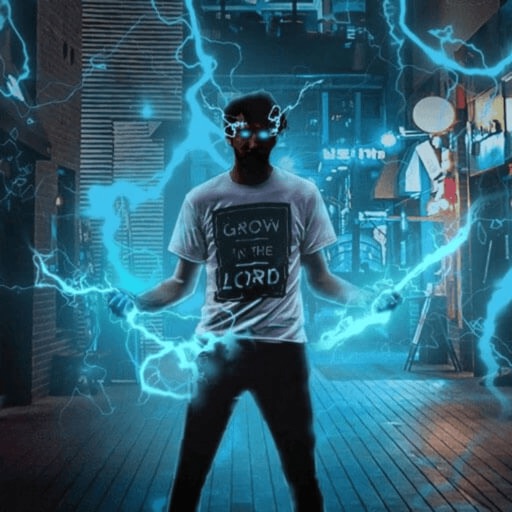
Record and edit videos with visual and templates. Add elements like dragons, magic circles, and space scenes. Include such as fire, laser, and lightning. Export and share edited videos directly.
Create AI-generated videos and photos with filters like baby dancing, polaroid, and luxury styles. Add effects such as sway dance, elevator , and winter image.
Take photos and videos with 9 customizable effects including smile enhancement, face stretching, and character transformations. Adjust effects on-screen. Share images and videos via email, Twitter, or Facebook.
Trim, cut, and crop clips. Adjust brightness, contrast, and color. Add slow motion effects. Overlay multiple clips. Export videos in various formats. Share directly from the .
Convert static photos into animated videos using AI technology. Add music, text, and effects to enhance visuals. Share finished videos directly to social media platforms. Edit clips, adjust timing, and preview before exporting.
Edit videos by trimming, cropping, splitting, merging, rotating, and adjusting speed. Add text, stickers, and transitions. Export in various formats and share directly to social media platforms.
Create videos by selecting from camera or gallery. Adjust frame duration and apply effects, filters, themes, doodles, and stickers. Add music and create slideshow animations gif memes and stickers.
Record videos with real-time old film effects. Apply vintage styles to existing videos. Edit video FPS and resolution. Manage video files and apply effects to professional clips.
Apply to photos and videos in real time. Edit existing media from the camera roll. Organize into categories for quick access. Share edited content directly to social media. Adjust brightness, contrast, and color settings.
Create videos using AI-generated templates for TikTok, Instagram Reels, and YouTube Shorts. Add auto-synced captions and beats. Convert text or images into videos. Remove backgrounds and auto-cut clips. Apply AI effects for enhanced visuals.
Edit videos with real-time filters and . Apply lenses like toonify, fire, Instagram, and vintage retro. Adjust colors and settings. Save and share edited videos.
Create filters and share them with friends. Edit photos and videos with trending effects, stickers, and tools. Apply creative filters and adjust colors. Save and share edited content directly.
Create graphics, edit photos, and design videos with customizable templates. Add text, shapes, and effects. Generate videos from text using AI. Export and share across platforms.
Trim and shorten clips, split or merge videos. Apply filters, adjust brightness and contrast. Add text, stickers, and effects. Use keyframe animation, slow-motion, and chroma key. Remove background, add auto captions, and convert text to speech.
Create videos and photos with dynamic movement and sound . Apply pre-designed to photos, videos, or slow-motion clips. Customize during recording or import existing media. Share edited content directly.
Edit videos with effects to color, animate, enhance, warp, combine, and re-time clips. Add music, text, and stickers. Export in various formats and share directly.
Edit photos with background blur, skin smoothing, and artistic filters. Remove distractions and enhance details. Add text and stickers. Share directly to social media or save in high-quality formats.
The app allows users to create Hollywood-style trailers and movies with titles, transitions, and music. Users can select albums or groups of videos and images, and the app will create a video with no editing required.