Use the camera to trigger a 3D animated "Kumamon" character that appears in the frame. Locate nearby Kumamon markers using the . Take photos with Kumamon and share them with friends.
by Kumamoto Broadcasting Co.,Ltd.★ 0.00 ratingsPhoto & VideoFreeData updated 2026-09-08
Edit photos with multiple camera models simulating DSLR, iPhone, and film styles. Use AI to enhance natural features and apply various portrait styles. Save money by avoiding camera purchases.
Create collages using 10000+ free layouts, effects, stickers, fonts, and backgrounds. Edit photos with cropping, filters, and text tools. Save and share collages as images or stories.
Create animated avatars using a library of customizable characters. Use your camera to control the in photos and videos. Share the content on social media and messaging apps.
Connect to via Bluetooth to send photos for instant printing. Adjust image orientation and zoom before printing. Use smartphone as remote control to trigger camera shutter. Transfer printed photos to device for storage.
Edit photos with , cropping, and adjustment tools. Add text, stickers, and effects. Export in multiple formats and share directly. Supports videos, Live Photos, and works across iOS and Mac devices.
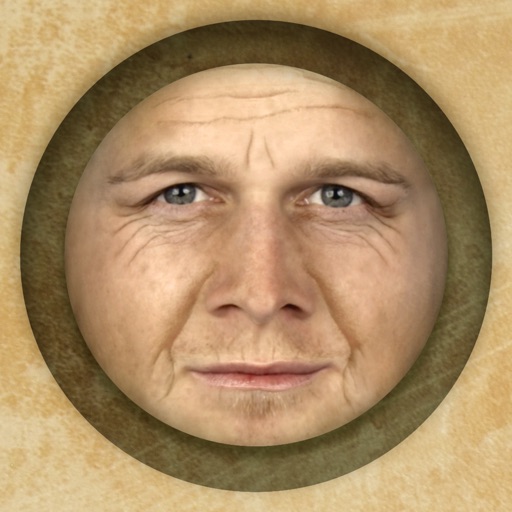
Predict how faces will look as they age. Upload photos to generate aged versions. Adjust aging intensity and style. Share results via email, messaging apps, and social media. Includes features like shaking to trigger aging effects.
Edit photos and videos with AI-enhanced filters, animated effects, and advanced adjustments. Apply customizable effects to enhance scenes. Add text, stickers, and transitions. Export in various formats and share directly.
The app converts photos into pencil sketches and offers a collection of coloring pages. Users can select photos from their album or take new ones with the camera to create sketches.
Pic allows users to divide their camera view into sections using various free layouts. They can take photos or import images from the Camera Roll and arrange them in different orders.
Create animations by capturing sequential photos. Add text and images to enhance video content. Include sound with text-to-speech options. Apply various filters for visual effects. Use voice-activated shooting to trigger camera captures.
Capture photos and videos directly or from your library. Apply handcrafted color presets for rich contrast and character. Add unique film grain and texture generated on-device. Use effects like light leaks, bloom, and threshold for custom edits.
Set a for seconds before capturing photos. Automatically take photos at the designated time. Ideal for group shots and family photos. Adjust duration and trigger capture remotely.
Take photos and videos with customizable styles and camera models. Create 3D wigglegrams. Adjust settings to match desired aesthetic. Share directly from the .
Edit photos to adjust proportions including waist, thighs, arms, and legs. Modify height and resize buttocks. Use auto face detection for facial enhancements. Share edited images directly.
Send photos and videos to a Wi-Fi Cloud Frame for display. Add captions and comments to photos. Share up to 15 seconds of video. Invite friends to contribute content. Control the frame remotely via the .
Unwanted and background distractions from photos using AI-powered editing. Edit images by selecting and erasing specific elements. Adjust lighting and colors for enhanced clarity. Save and share edited photos directly.
Take instant photos with virtual cameras and share them instantly. Capture multiple photos with friends. Photos are processed daily at 9am and become viewable afterward. Save and relive favorite moments anytime.
Sync photos and videos to a digital photo frame via phone. Bind frames using invitation code or QR code. Send and manage media on connected frames. Send greeting cards or pop-up messages to frames. Connect multiple frames with one account.
Turn photos of pets or objects into customizable patterns for lock screens. Create animated patterns and save as live photos, videos, or GIFs. Use AI to cut out subjects or trace manually. Choose from suggested colors and palettes.