Control panel can be placed on the right side of the iPad in landscape mode. Customizable meter and layout options include 3 level meter presets. Adjust control panel size and position for better usability.
by Yufei Zhang★ 5.01 ratingsMusic$12.99Data updated 2026-09-08
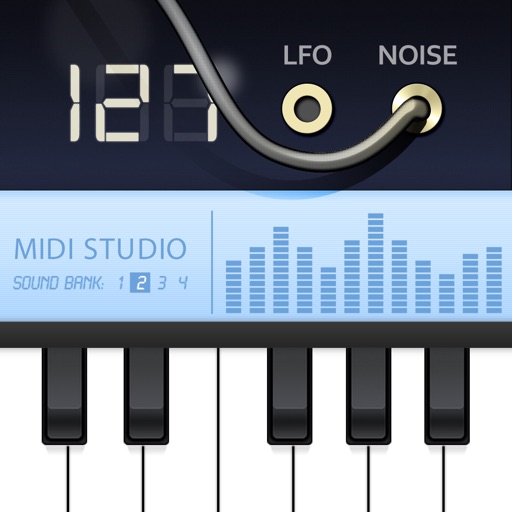
Create and manipulate string-like sounds using physical modeling synthesis. Adjust string tension and delay settings for tone shaping. Play with a 25-key keyboard or MIDI controller. Apply stereo delay and filter effects to modify sound output.
Create and manipulate sounds with customizable oscillators and filters. Adjust envelopes and LFOs for tone shaping. Apply studio-quality effects like reverb and distortion. Save and load presets. Export audio files and share directly.
Control devices and sequences with customizable layouts. Adjust parameters in real-time. Send and receive signals. Integrate with DAWs for workflow. Manage multiple instruments and tracks. Save and load preset configurations.
Adjust audio levels with a for louder playback. Enhance with adjustable settings for deeper sound. Use a 7-band equalizer to customize frequency settings for precise audio control.
Turn your Apple device into a showing seconds, date, and battery percentage. Customize the clock face with colors and display options. Supports portrait and landscape orientations for flexible use.
Display time in 12 or 24-hour format with seconds and date. Customize appearance and choose themes. Set alarms with customizable sounds. Control screen brightness and activate flash torch. Include standby and interactive widget features.
Control music playback by grouping and ungrouping speakers, managing stations and presets, and adjusting volume. Play music wirelessly over without connecting the phone to the speakers.
Manage tasks with a calendar, , and to-do list. Track expenses with a budget tool. Store passwords securely and convert currencies. Customize the navigation panel to prioritize essential functions.
Control audio mixing consoles remotely via iPad. Adjust levels, EQ, and effects from anywhere in the venue. Access real-time monitoring and automation features. Integrate with Harman HiQnet® Ethernet port using a wireless router.
Create rhythmic patterns with triplets, dotted notes, and custom time signatures. Set subdivisions per beat. Save setups in setlists. Use Coach and Automator modes for timing practice. Adjust tempo and display options. Export patterns for later use.
Adapts its interface in real time based on active apps, windows, or tools. It offers deep integrations, customizable layouts, macros, DAW/MIDI control, and a library of presets. Users can switch apps seamlessly and access relevant tools instantly.
Measure magnetic field strength using the device's built-in sensor. Display real-time trends of magnetic field values. Trigger sound alerts when levels exceed a set threshold. Option to disable audio notifications.
Monitor sound levels with a crystal clear SPL meter. Analyze audio in real time using a spectrograph. Access professional tools like Real Time Analyzer for accurate measurements and adjustments.
Read scripts smoothly with a effect. Record high-quality videos while scrolling text. Convert photos into editable scripts using image recognition. Trim and refine recordings within the . Share finished videos directly.
Control Bluetooth devices wirelessly from an iOS device. Adjust lighting modes, colors, and brightness. Manage audio settings including volume and modes. Customize alarm functions for sleep, nap, and alarm schedules.