
Calendar - Schedule Planner
Manage calendar, , and reminders
PLANNING TECHNOLOGIES LLC
iPhone Screenshots





Description
Manage tasks with a calendar, , and to-do list. Track expenses with a budget tool. Store passwords securely and convert currencies. Customize the navigation panel to prioritize essential functions.
Calendar at the center. Everything else within reach.
HUB is a calendar that keeps your day under control without unnecessary complexity.
Tasks, notes, and other tools are built in, but the interface stays clear and focused.
Use what you need. Nothing gets in the way.
Fast, clear planning
• Create events in seconds
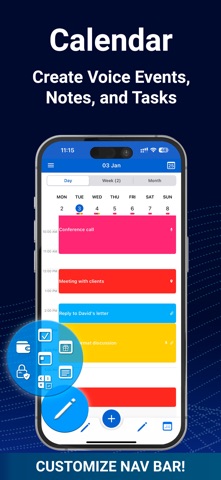
• Day, week, month, and year views in one place
• Easily adjust time and duration with drag and drop
• Clear visual overview of your schedule
• Works online and offline
• Full sync with iCloud, Google, Outlook, Office365, and other calendars
Flexibility that goes further
• Customizable bottom navigation so you keep only the features you use
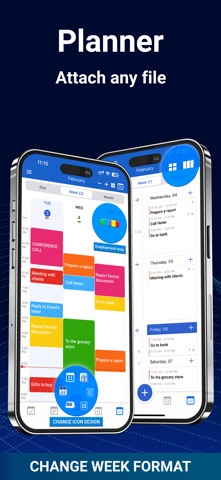
• Two weekly layouts: classic and agenda-style
• Flexible multi-day view (2 to 14 days) and three month view formats for maximum convenience
• Widgets, themes, and interface personalization
• A clean structure without overload
Everything else inside
When you need it.
• Tasks for simple lists and better structure
• Notes in list or board view
• Budget tracking for expenses and accounts
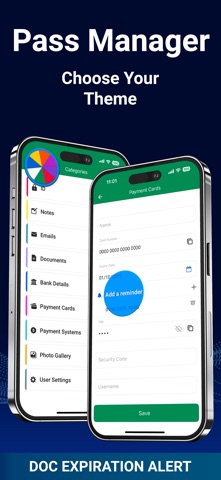
• Password Manager for secure storage
• Currency Converter for quick calculations
Free features
• Core calendar features
• Sync with Reminders
• Widgets and interface customization
• Recurring events and tasks
• Adjustable week formats
• Backup
Available without limits:
• Unlimited notes
With limits:
• Up to 3 budget accounts
• Up to 7 items in Password Manager
• Up to 2 currencies at the same time
PRO features
• Voice input for events, tasks, and notes
• File attachments
• Conversion between events, tasks, and notes
• Forwarding and copying
• Unlimited data and accounts
• App lock and extra advanced features
Built for everyday use
HUB helps you bring order to tasks, events, and plans — without complicated setup or extra steps.
Support
[email protected]
Terms of Use
https://calenhub.com/Terms_and_Conditions_HUB/Terms_and_Conditions_RUS.htm