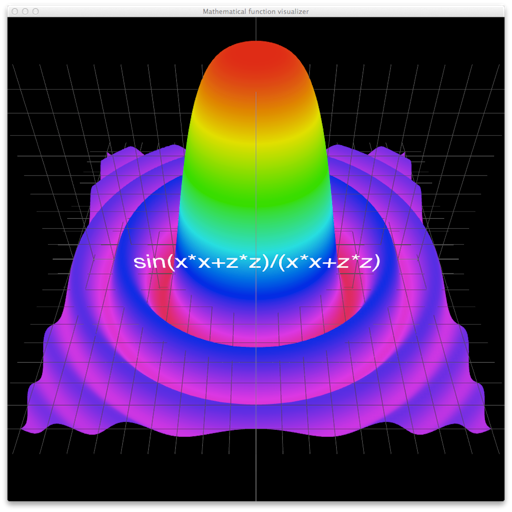
Visualize mathematical functions of two variables with customizable equations and pre-built examples. Rotate and zoom 3D models along X, Y, and Z axes. Use TExpressionParser for accurate mathematical expressions.
by Embarcadero Technologies, Inc.★ 0.00 ratingsUtilitiesFreeData updated 2026-09-06
Solve equations and expand expressions. Find derivatives and integrals. Work with undefined variables. Identify roots, minima, and maxima. Create tables of values. Perform regression analysis. Access free learning activities.
Plan and visualize shots from approach to target with overlays like entry angle and distance markers. Save favorite shots and use video mode for analysis.
Perform calculations with a multi-line display that supports complex expressions and order of operations. Edit equations, save history, and switch between and basic modes. Share results via copy or email.
Calculates with multiple modes and customizable settings
The app provides multiple calculation modes for various mathematical tasks. The app includes customizable interfaces and widgets for convenient use across devices.
Create and analyze mathematical graphs with precise notation display. Edit graphs with color and line style customization. Find coordinates, intersections, and key points like zeros and extrema. Perform domain analysis and use an intuitive keyboard.
Visualize sound frequencies over time with a time-frequency graph. Adjust color intensity to represent sound levels. Use for analyzing vocal tones, animal calls, and identifying household noises.
Offers visual explaining mathematical concepts. Users can view short, focused explanations of basic principles. Teachers can use it in classrooms to demonstrate topics. Students can explore visual representations of ideas.
Perform complex calculations support for brackets, exponents, roots, and BEDMAS rules. Use three variables (X, Y, Z) and advanced functions. Print calculation history in . Export results and share via email or messaging.
Build and customize structures using 17 block types and 8 colors. Save up to 3 data sets automatically. Undo accidental actions and restart. Stack up to 5 at once. Rotate and zoom objects with touch controls. Destroy creations in explosion mode.
Allows users to take photos of math problems and receive step-by-step solutions. It can plot graphs of equations. Users can chat with an AI tutor for homework and assignment .
Create and facial sketches using detailed geometric models. Analyze face structure from basic shapes to complex forms. Practice with 25 models, including 2 free. Refine sketches with layered tools and adjust proportions.
Coding with interactive labs and an on-device Python IDE. Run without setup or internet. Access tutorials on syntax, variables, functions, loops, data analysis, visualization, web scraping, networking, XML/JSON parsing, and machine learning.
Graphing allows users to visualize mathematical functions with interactive sliders. Adjust parameters to see real-time changes. Explore multiple graph types. Save and share . Track progress with learning goals. Sync with educational platforms.
Solve math problems from basic arithmetic to advanced algebra. Perform exact fraction calculations and store unlimited variables. Create custom functions and graph equations. Switch between exact and numerical modes.
Record HD videos and movies. Apply filters and effects. Crop and rotate videos. Adjust contrast, saturation, brightness, and temperature. Fine-tune colors and create custom filters. Use presets. Export in high resolution. Share videos directly.
Perform calculations in a stack format. Each line functions as a standalone calculation or interacts with others. Edit, delete, or rearrange entries. Use mathematical functions and parentheses. Save and recall previous calculations.
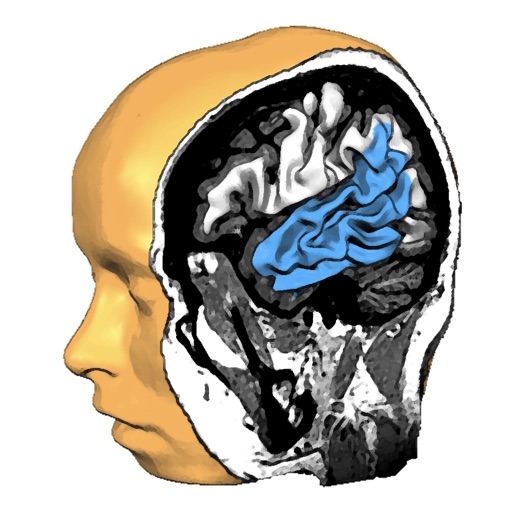
Explore anatomy with interactive 3D models. Rotate and slice through high-resolution structures. View fiber tracts from MRI data. Learn about function and structure with detailed visualizations.
Capture and scan objects or spaces to create detailed 3D models using camera zoom, auto-timer, and manual focus. Scan areas by walking with a mini-map, interactive camera views, and real-time raytrace preview.
View a 3D and rotate it using touch gestures. Zoom in and out with a pinch. Search for a country to navigate to it. Tap a country to display Wikipedia information.