Access legacy host applications via terminal emulation. Connect to Bull, IBM, DEC, UNIX, and Linux systems. Supports IBM 3270/5250, Bull Questar, and VIP78 terminals. Run on iPad, iPhone, and Mac with M1/M2 chips.
by Gallagher & Robertson AS★ 0.00 ratingsUtilities$37.99Data updated 2026-09-08
Allows users to navigate the using gestures. right to access customisable QuickTexts. left to view emojis, including a most-used section for quick access. The standalone lets users add or modify QuickTexts and set ten function keys.
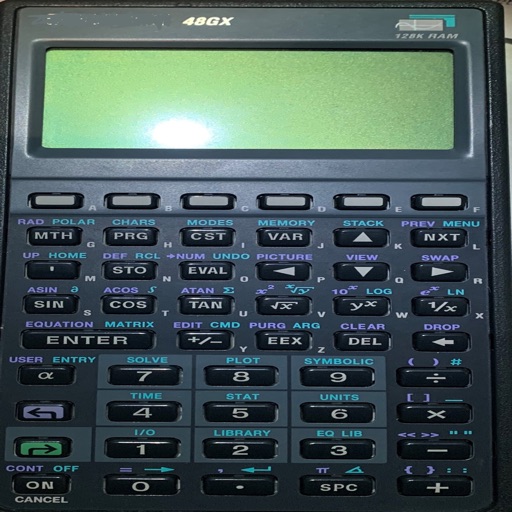
Perform calculations using reverse Polish notation. Swipe to undo or redo operations. Access a 100-entry stack and 6 memory buttons. View large, easy-to-read displays. Save state on exit. Supports scientific functions and multiple undo/redo levels.
Order products, track shipments, reconcile deliveries
Manage orders, track shipments, and reconcile products in real time. Share updates with stakeholders, dispatch equipment, and monitor logistics. Integrate with multiple partners for synchronized data and decision-making.
View and add projects, manage issues with editing and sharing options, track transitions for issues, milestones, and merge requests. Search issues by ID, title, or labels. Access project details and collaborate remotely.
Compile and run C code on mobile devices with built-in Python and Lua environments. Support Linux command execution in a console. Features code highlighting, split-screen display, and console input/output.
Record work hours and request additional pay. View timecards and totals. Manage schedules and purchases. Read messages and update personal profiles. Access payroll information through integrated systems.
Street team members can upload photos and report work progress to clients and managers. Track campaign updates and share proof of activity without battery drain or crashes.
View flight arrivals and departures at LAX . Check flight status, terminal, gate, baggage area, and flight number. Search flights by city, gate, flight number, terminal, or baggage area. Receive updates on delays or cancellations.
Securely connect to servers via SSH for remote management. Run terminal commands to execute tasks and manage files. View server logs and monitor activity in real time. Support for SSH keys and password authentication.
Access IBM Mainframe via 3270 terminal emulation. Customize screen size and colors. Use SSL/TLS for secure connections. Scan barcodes with device camera. Copy and paste using clipboard. Print wirelessly via Air Print. Zoom and scroll like Safari.
Manage system tasks with SSH and SFTP protocols. Control Docker and Podman containers. Monitor network latency with Ping. Edit code snippets. Download alternative versions or compile from source. Supports major Linux distributions.
Track flight arrivals and departures at . View terminal, gate, baggage area, and flight status. Search flights by city, gate, flight number, terminal, or baggage area. Receive real-time updates on delays or cancellations.
Manage Raspberry Pi remotely with GPIO control for on/off and impulse functions. Access a file manager to explore and transfer files. Send terminal commands, view camera images, and retrieve sensor data.
Control home devices using , which connects Apple HomeKit to non-HomeKit devices like TVs, lights, and game consoles. Manage scenes, automate routines, and monitor device status through the .
Manage files via SFTP on connected devices. Organize devices into projects for streamlined access. Scan local networks to locate compatible devices. Connect using SSH, SSL, or CTP through an integrated terminal. Generate reports based on device data.