The app allows users to crop photos into a square shape for posting on Instagram. It supports both landscape and portrait orientations and offers various background options and effects.
by FANG Inc.★ 4.3124 ratingsPhoto & Video$3.99Data updated 2026-11-02
Take photos and videos with adjustable settings. Apply free filters and themed stickers. Enhance skin tone, smooth features, and adjust facial elements like eyes and lips. Save and share edited content directly.
The app allows users to take three pictures and combine them into a single creation. It offers features like super wide pictures, cloning, and continuous actions with easy alignment.
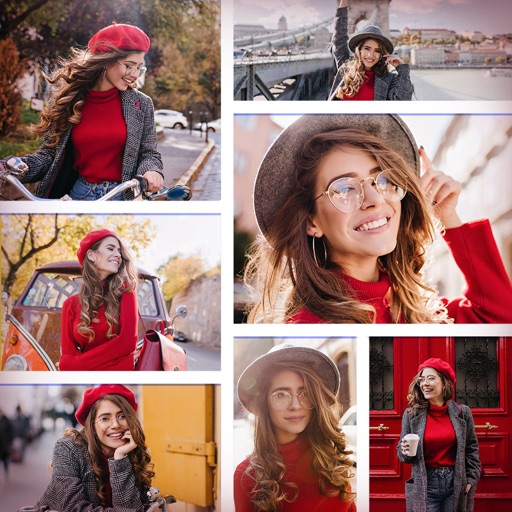
Create collages by combining multiple photos and videos. Choose from , poster, or editor modes. Adjust layouts, add effects, and stitch content together. Edit images with filters, cropping, and text overlays.
Edit photos with 200 unique filters and effects. Adjust brightness, contrast, and saturation. Add text, stickers, and borders. Crop and rotate images. Export in multiple formats and share directly.
Create with ready-to-use templates and 500+ frames. Add illustrations, emojis, shapes, and text with 200+ fonts. Resize and position elements freely. Share completed directly to Instagram.
Enhance photos with brightness, contrast, and saturation adjustments. Apply , add stickers, frames, and splash. Crop, rotate, flip, and remove red eye. Draw and paint on images. Add text with multiple fonts. Tilt shift and focus available.
Edit photos using like Linear, Vignette, and Sepia. Adjust brightness, contrast, and color with tone curve tools. Apply blur, focus, and rotation. Add stickers, text, and emoticons. Crop and resize images.
Create original images using light effects. Apply light leak filters to add unique textures. Adjust brightness and contrast for enhanced visuals. Share edited photos directly to social media.
Edit photos with filters, backgrounds, patterns, textures, frames, and stickers. images to format. Access photos from the gallery or capture new ones with the camera. Apply creative tools to enhance and style images. Share edited photos directly.
The app offers on-device photo editing with AI features like background removal and auto-enhancement. It includes over 38 filters, stickers, text editing, and export options for HEIC, JPEG, or PNG formats.
The app allows users to create collages on square backgrounds and add text. Users can choose backgrounds, add pictures, and modify text properties like font, size, color, transparency, and rotation.