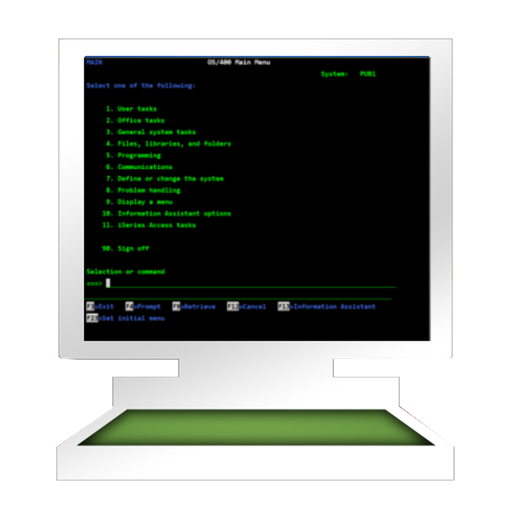
The app provides access to an AS/400 using TN5250 terminal emulation. It supports standard 5250 features, alternate screen sizes, SSL/TLS, and auto login.
by Jan Frydendal★ 0.00 ratingsBusiness$29.99Data updated 2026-09-29
Control computers via sharing, trackpad/mouse, and Apple Pencil. Connect using RDP, SSH, Telnet, and VNC. Manage sessions, transfer files, and customize keyboard shortcuts. Supports iOS and Mac devices.
Allows users to scan barcodes and QR codes. Sends real-time keystrokes to a computer via . Supports CSV file exports for scanned data. Enables keyboard emulation without copy-paste. Connects to computers on the same network.
Check balances, transfer funds, pay bills, deposit
Check balances and view account history. Transfer funds between accounts. Pay bills using saved payment details. Deposit checks by photo. Locate surcharge-free ATM and branch locations. Use SSL encryption for secure transactions.
Block ads and trackers using predefined rulesets like EasyList and EasyPrivacy. Customize filters by enabling additional rulesets via the options page. Prevent CSS and JS injection-based content filtering without requiring a background process.
Create a personalized event agenda. Search sessions by topic, subtopic, role, or industry. Register for labs. Download session materials. Follow speakers, exhibitors, and attendees. Build a social network. View transportation details and event news.
Access remote servers via SSH on iPhone, iPad, and Mac with Panic Sync. Connect reliably over unstable networks using Mosh and Eternal Terminal. Set up port forwarding for secure data transfer. Manage terminal sessions across devices.
SSH allows secure remote connections with hardware-accelerated text rendering and PuTTY-based terminal emulation. Supports gestures for channel switching and scrolling. Enable custom gestures for keypresses or actions.
Allows users to test various APIs including REST, GraphQL, WebSocket, and more. Send HTTP requests with methods like GET, POST, and DELETE. Edit GraphQL queries, mutations, and subscriptions. Connect to WebSockets and send messages.
Create and modify events using drag-and-drop gestures. Sync with Google Calendar. View and edit dates and events intuitively. Upload events to Google Calendar. Adjust event dates by dragging. Manage schedules efficiently on iPhone or iPod Touch.
The app provides secure access to corporate data and resources for iOS devices. It offers comprehensive device security and visibility through analytics and business intelligence.
Manage remote servers with SSH and Telnet connections. Access terminal emulators with keyboard and language support. Create and switch between multiple sessions. Connect via Bluetooth key. Execute commands and manage server settings remotely.
Monitor network traffic in real time with packet analysis and capture features. Manage multiple connections with protocol support including ss, ssr, vmess, trojan, vless, HTTP/S, SOCKS5, hysteria2, Shadow-TLS, and WireGuard.
The app monitors and checks real-time RAM usage, including inactive, active, wired, and free memory. It also monitors and checks real-time disk usage, CPU usage, and network information.
Use the to connect to secure VPN servers in . Access multiple locations with single-tap activation. Choose from various protocols. No login required. Maintain privacy with a no-logs policy. Protect data during online activities.
The app provides TN5250 and TN5250e emulation for IBM midrange systems. It offers features like SSH, Telnet, custom keyboards, and multi-session capability for host connectivity.
Input domains or IP addresses to check TLS security. Inspect websites directly from a browser extension. View trust status and certificate details. Identify security issues and device trust relationships.