The app offers remote control of Yamaha LS9 digital mixing console functions through a graphical interface on the iPad. It allows engineers to adjust monitor mixes from stage positions, improving setup efficiency.
by Yamaha Corporation of America★ 3.213 ratingsMusicFreeData updated 2026-09-29
The app provides a music player with BPM adjustment and interval timers. It offers unlimited access to music albums, custom mixes, playlists, royalty-free music, and choreography videos for subscribers.
Control Pro 8 transport and mix console. Access commands page for factory and user presets. Adjust levels, automate parameters, and navigate sessions. Sync with PreSonus One on Mac and Windows.
The app offers over 100,000 karaoke songs in 38 languages, with new tracks added regularly. Users can connect to compatible Singing Machines via Bluetooth for amplified audio and cast videos to a TV.
Record and play files. Edit with cut, copy, paste, trim, fade, and silence insertion. Normalize and reduce noise. Adjust tempo, speed, and pitch. Use a 10-band equalizer and compressor. Split vocals and accompaniment. Remove reverb and clean voice.
Stream from SoundCloud Go+ and local files via cloud services. Import tracks in multiple formats. Organize library by title, artist, album, bpm, key, rating, or duration. Create custom playlists.
Control mixing, processing, and effects of X18/XR18/XR16/XR12 mixers via iPad. Adjust 18 input channels and 12 buses. Edit 4 stereo effects processors. Access routing, EQ, and dynamics settings. Save and recall mixer configurations.
The app offers a redesigned interface and enhanced search for an immersive listening experience. Users can stream live radio, organize playlists, and customize genres for personalized browsing.
Listen to live streams and on-demand mixes from curators, DJs, and artists. Follow creators to receive personalized recommendations. Save and queue favorite tracks. Share mixes with friends. Sync playback across devices.
Browse and play free playlists created by users. Search for music by genre, mood, or activity. Create and share custom playlists. Add songs to mixes and comment on other user playlists. Sync with music services for offline listening.
Play with crossfade transitions and an intuitive interface. Use the XBass Bass Booster and EQX for enhanced sound quality. Manage your library and control playback directly within the .
Turn songs into mashups by merging tracks and auto-matching BPM and key. Remix audio by editing, slicing, and arranging sections. Swap vocals using AI to replace voices with famous artists. Export and share customized mixes directly.
The app offers comprehensive control over MIDAS M32 consoles, including mixing, routing, preamp, and effects editing. Users can adjust levels, configure scribble strips, and edit EQ with a real-time analyzer.
Record and edit music tracks with multi-track recording and audio effects. Store and organize song files securely. Share content via direct links. Distribute music to streaming platforms. Manage artist profiles and industry connections.
Play piano by tapping notes in rhythm. Care for and interact with cute cats in a colorful . Choose from various modes for different challenges. Enjoy relaxing gameplay suitable for all ages.
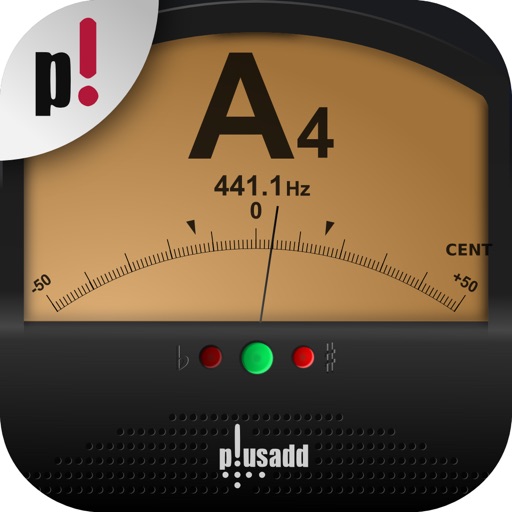
Allows users to tune instruments using the device's microphone. It supports custom temperaments and transposition. Features include solfège notation, adjustable calibration, and a spectrum power indicator for sound visualization.
Control Yamaha network products via Wi-Fi with volume, mute, and power commands. Switch inputs, adjust settings, and stream music tracks from iOS devices to compatible systems. Manage Internet Radio, USB, and FM/AM sources remotely.
Control aux mixes remotely via wireless network connection. Adjust levels, mute channels, and manage monitor settings. View real-time metering and preset recall. Sync with StudioLive Series III mixers for precise monitoring control.