The app offers a simple and intuitive calculator with features like undo/redo, keyboard trackpad mode, and basic graphing. It supports dynamic type and is accessible.
by nordic io AB★ 4.5714 ratingsUtilitiesFreeData updated 2026-09-29
Perform complex calculations with support for hexadecimal, octal, and binary. Use RPN mode and multi-line display. Access unit conversions, constants, and scientific notation. View a paper tape and use multiple undo/redo functions.
The app offers number crunching power with an expanded keyboard for formula entry. Capabilities include formula dragging, limited graphing, sorting, freezing headers, and CSV import/export.
Allows users to perform complex calculations with a natural display that shows expressions as written. It supports fractions, roots, and exponents. The includes a graphing module for visualizing equations.
A with a clean interface and basic colors allows users to collaboratively. Features include drawing with fingers or stylus, clearing the board, and sharing drawings via email or social media.
Perform complex calculations with support for hexadecimal, octal, and binary. Use RPN mode and multi-line display. Access unit conversions, scientific constants, and engineering notation. Enable multiple undo and redo. View results on a paper tape.
Count items by tapping a number on the Apple . Increment or decrement the count. Undo accidental counts. Track quantities for birds, people, or other objects.
Tap to items with haptic feedback for tactile confirmation. Create and manage multiple named counts. Undo or reset counts easily. Minimalist design with optional rainbow and unicorn themes.
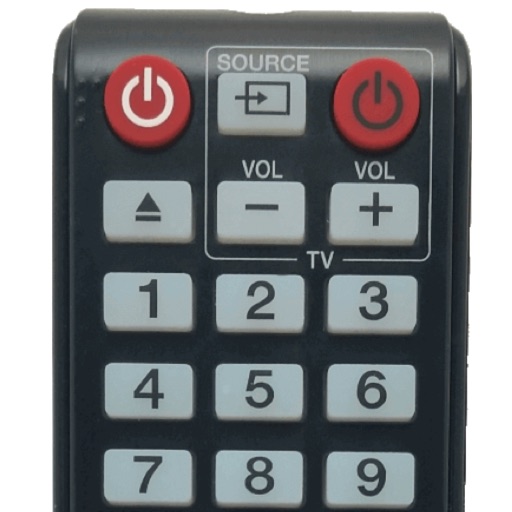
Control your Smart TV with a that allows turning it on and off. Use a built-in keyboard for typing on the TV. Navigate with a trackpad support for precise movement.
Solve equations and graph functions with advanced math support. Perform calculus operations and matrix calculations. Customize settings for precision. Access detailed tutorials and a comprehensive user manual.
Perform complex calculations with a powerful math core and algebra engine. Display mathematical expressions with proper formatting. Solve equations, graph functions, and convert units. Access scientific, financial, and programming calculators.
Save your last layout for quick access upon reopening. Use a fast touch pad and keyboard for swift navigation. Features an intuitive design with a clean and user-friendly interface.
™ turns a mobile device into a control for computers. It includes a cross-device clipboard for text and image transfer. Users can navigate with a virtual , keyboard, and touchpad. Specialized control panels allow precise device management.
A with basic arithmetic functions and a history bar for tracking previous inputs. Supports rotation and theme customization. Includes haptic feedback for 7 and later. Loads quickly and runs without fullscreen ads.
The app tracks life point changes with automatic logging and undo/redo functions. It supports dark mode, UI transparency, and wallpaper customization for a personalized experience.
Perform complex calculations with scientific formulas and unit conversions. Access calculation history via Spotlight and 3D Touch. Use widgets for quick access and history integration. Sync with Apple Watch for notifications and basic calculations.
Write directly on the screen with smooth ink and customizable pen settings. Redo and undo actions are available. Delete all content with one tap. Share or save as an image. Use eraser and ruler tools. Dark mode is supported. All features are free.
The app offers basic and scientific calculator modes, a universal converter for numerous units, and multitasking capabilities. Users can view calculation history, edit input, and customize the appearance with various skins.
Allows users to perform calculations directly within compatible apps. Input equations using the . Dark Mode is supported. Full iPadOS compatibility is available. Customization options are provided.
Annotate images with tools like arrow, rectangle, circle, text, and magnifier. Import photos from library, camera, or map. Export with custom sizes and share. Customize colors, undo changes, and manage layers. Crop images and save history sessions.