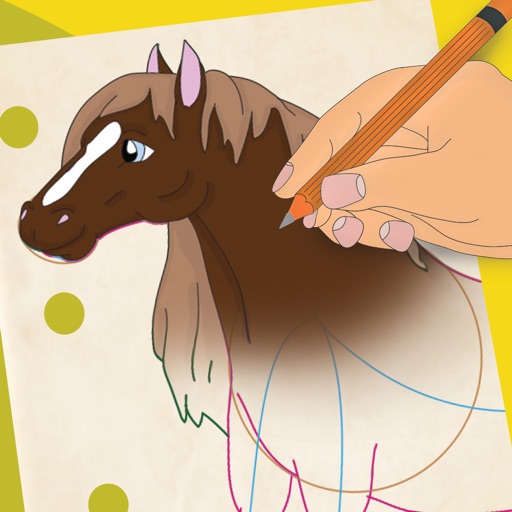
Create and edit drawings with a variety of colors and brushes. Sketch freely and refine details. Save, share, and publish artwork. Include step-by-step process for each drawing. Export in multiple formats and share directly.
by Evolutive Apps S.L.★ 4.495 ratingsEntertainmentFreeData updated 2026-09-08
Color pictures with realistic brush strokes and save creations. Access a variety of pre-drawn images to color. Draw freely on blank pages with zoom functionality. Watch video replays of drawing sessions.
Create symmetrical Easter egg drawings with customizable background and brush colors. Select from four brush sizes. Save or share artwork. in random mode for automatic brush size changes.
Arthur Eduardo Skaetta Alvarez Desenvolvimento de Software LTDA.
Convert photos to sketches
Convert photos into various styles like , colored, painting, and comic. Adjust brush thickness for customization. Save high-resolution sketches for sharing or printing.
Create realistic artwork with pencil, brush, pen, and marker tools. Import images as layers and edit with eraser, ruler, compass, and other tools. Add stickers and use layer management for detailed painting and design.
Use phone camera to project images onto surfaces for tracing. Access templates for drawing and coloring. Color traced images to create artwork. Share finished drawings directly.
Create digital paintings using a brush for intricate curves and unique patterns. Adjust brush settings for different effects. Combine brush with regular brush for varied artwork. Export and share finished drawings.
Create stickmen using simple drawings. Customize characters with different body parts and expressions. Solve puzzles and complete challenges to unlock secrets. Share drawings and collect unique artwork.
Create monsters by photographing hand-drawn sketches. Convert 2D images into 3D animated characters. Customize features like eyes, mouth, and color. Export creations to view in a movie universe preview. Share generated animations directly.
To cute art with step-by-step lessons. Choose from categories like smilies, food, fruits, and trees. View drawings in list or grid format. Follow detailed instructions to create each illustration. Save and share completed drawings.
Learn to 10 through 8 step-by-step lessons. Choose an animal, follow guided instructions, and create drawings anywhere. Save and share completed artwork.
Create pixel art using a grid-based drawing tool. Share artwork with others and follow pixel artists. Receive feedback and view community creations. Export art in various formats and access tutorials for improvement.
Scan tickets to collect symbols. Earn entries for monthly drawings. View collected symbols and track progress. Participate in promotions during specified periods. Share results with friends.