Allows users to expand photos by uploading images and using AI to extend backgrounds. Users can adjust expansion settings and preview results before exporting. The supports various formats and offers real-time adjustments for enhanced visual space.
Create pixel art with automatic double pixel removal for precise line art. Use round, square, and matrix dither brushes. Draw lines locked to isometric angles. Create rectangles and ellipses. Manage layers for animated projects.
Edit photos with filters, backgrounds, patterns, textures, frames, and stickers. images to format. Access photos from the gallery or capture new ones with the camera. Apply creative tools to enhance and style images. Share edited photos directly.
Create collages using photos from Camera Roll, Photo Stream, or Dropbox. Choose from pre-designed templates and artwork. Edit images with cropping, filters, and adjustments. Export and print finished layouts for physical display.
Display photos or free images on Samsung TV. Format, , mat, and sign images for display. Add a soft and multiple mats. Automatically adjust image size and layout. Share and manage photos directly from the .
Convert videos into high-quality photos by extracting individual frames. Select and save specific moments as images. Edit photos with cropping, filters, and adjustments. Share edited photos directly from the .
Create and edit videos using pre-designed with text, animations, filters, and music. Add effects and customize layouts. Export final videos in various formats.
Convert images and files between supported formats. Resize images and compress files. Perform batch conversions for multiple items. Open and view various file types for conversion.
Create personalized feeds by arranging up to 9 square photos in a grid layout. Save grids to the camera roll and post them directly to without needing an account. Edit and share feeds with one-tap uploads.
Edit photos by analyzing color schemes and applying beautiful palettes. Choose from various style variations like split circles or diamond canvases. Purchase packs or upgrade to Pro for additional features. Export edited images.
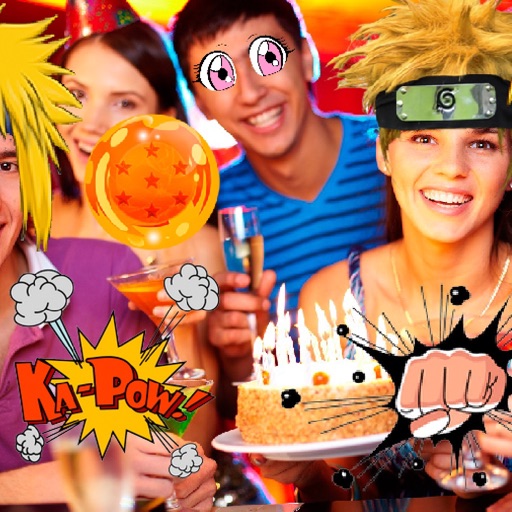
Take photos or select images from the gallery. Choose or stickers and place them by tapping and dragging. Adjust size, rotate, or move stickers as needed. Share edited photos directly.
Edit photos with filters, retro effects, and dimension styles. Crop, resize, and trim images. Adjust colors and brightness. Save and share edited photos directly.
Create social media content with customizable canvas sizes and editing tools. Add text, stickers, and filters to , stories, and posts. Export and share directly to Instagram, TikTok, Snapchat, Facebook, and other platforms.
Create and customize grids on images for drawing and painting. Place grids over photos to use as reference. Adjust size and spacing. Export layers for use in digital art tools.