Photo & Image Converter
Convert images, files, and photos
IgKnight Technologies Ltd
iPhone Screenshots


Description
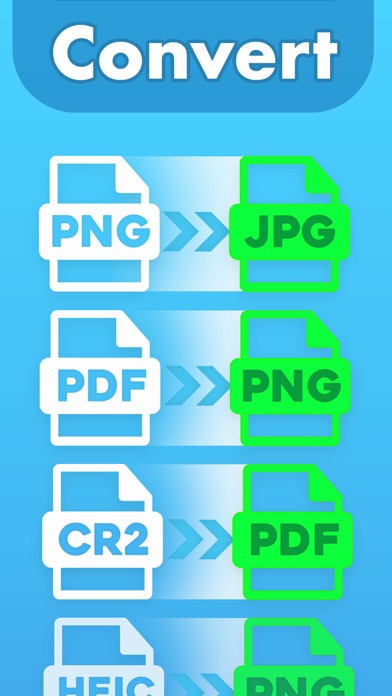
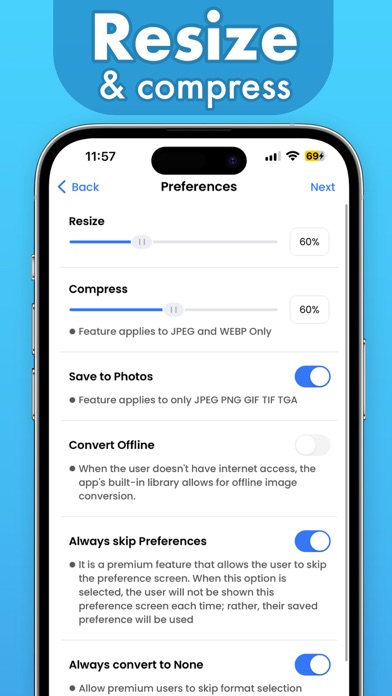
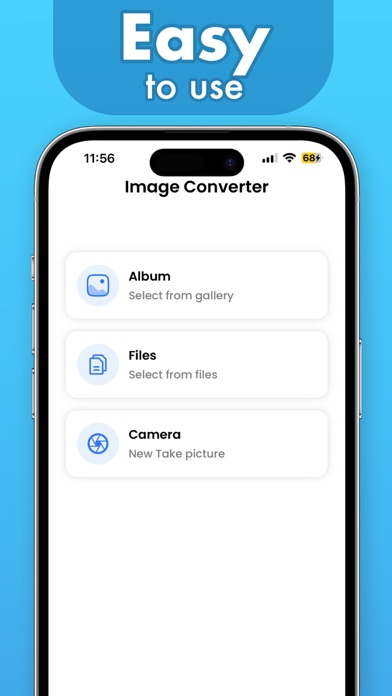
Convert images and files between supported formats. Resize images and compress files. Perform batch conversions for multiple items. Open and view various file types for conversion.
Image Converter is your number-one app for converting images, files, and photo formats on your iOS device.
Other features provided in the app include:
-Image Re-sizing
-Image compression
-Batch conversion
Supported Image file formats for online conversion (READ/OPEN):
3FR, 3G2, 3GP, A, AAI, AI, ART, ARW, AVI, AVS, B, BGR, BGRA, BGRO, BIE, BMP, BMP2, BMP3, BRF, C, CAL, CALS, CANVAS, CAPTION, CIN, CIP, CLIP, CMYK, CMYKA, CR2, CRW, CUR, CUT, DCM, DCR, DCRAW, DCX, DDS, DFONT, DJVU, DNG, DPX, DXT1, DXT5, EPDF, EPI, EPS, EPS2, EPS3, EPSF, EPSI, EPT, EPT2, EPT3, ERF, EXR, FAX, FILE, FITS, FPX, FRACTAL, FTP, FTS, G, G3, G4, GIF, GIF87, GRADIENT, GRAY, GRAYA, GROUP4, HALD, HDR, HEIC, HISTOGRAM, HRZ, ICB, ICO, ICON, IIQ, INFO, INLINE, IPL, ISOBRL, ISOBRL6, J2C, J2K, JBG, JBIG, JNG, JNX, JP2, JPC, JPE, JPEG, JPG, JPM, JPS, JPT, JSON, K, K25, KDC, LABEL, M, M2V, M4V, MAC, MAP, MASK, MAT, MATTE, MEF, MIFF, MKV, MNG, MONO, MPC, MPEG, MPG, MRW, MSL, MSVG, MTV, MVG, NEF, NRW, NULL, O, ORF, OTB, OTF, PAL, PALM, PAM, PANGO, PATTERN, PBM, PCD, PCDS, PCL, PCT, PCX, PDB, PEF, PFA, PFB, PFM, PGM, PGX, PICON, PICT, PIX, PJPEG, PLASMA, PNG, PNG00, PNG24, PNG32, PNG48, PNG64, PNG8, PNM, PPM, PS, PS2, PS3, PSB, PSD, PTIF, PWP, R, RADIAL-GRADIENT, RAF, RAS, RAW, RGB, RGBA, RGBO, RGF, RLA, RLE, RMF, RW2, SCR, SCREENSHOT, SCT, SFW, SGI, SHTML, SIX, SIXEL, SPARSE-COLOR, SR2, SRF, STEGANO, SUN, SVG, SVGZ, TEXT, TGA, THUMBNAIL, TIFF, TIFF64, TILE, TIM, TTC, TTF, TXT, UBRL, UBRL6, UIL, UYVY, VDA, VICAR, VID, VIFF, VIPS, VST, WBMP, WEBP, WMF, WMV, WMZ, WPG, X, X3F, XBM, XC, XCF, XPM, XV, XWD, Y, YCbCr, YCbCrA, YUV, MDC
Supported Formats for Offline Conversion (READ/OPEN):
ART, AVS, BMP, BMP2, BMP3, CIN, CUR, DCX, DDS, DPX, FTS, FITS, GIF, GIF87, HDR, HRZ, ICO, JPE, JPEG, JPG, JPS, MAT, MNG, MTV, OTB, PALM, PAM, PBM, PFM, PCD, PCDS, PCX, PDB, PGM, PICON, PICT, PNG, PNG8, PNG24, PNG32, PNM, PPM, PSB, PSD, PTIF, RAS, SGI, SUN, TIF, TGA, VICAR, VIFF, WEBP, WBMP, XBM, XPM
You can Convert to the following formats online and offline (WRITE/CREATE):
AI, ART, AVS, BMP, BMP2, BMP3, CIN, CIP, CMYK, CMYKA, DCX, DDS, DIB, DPX, EPS, EPS2, EPS3, FAX, FITS, GIF, GIF87, GRAY, H , HDR, HRZ, INFO, J2C, JP2, JPC, JPG, MAT, MNG, MONO, MPC, MTV, NETSCAPE, OTB, PAL , PALM, PAM, PBM, PCD, PCDS, PCL, PCX, PDB, PDF, PFM, PGM, PICT, PNG, PNG24, PNG32, PNG8, PNM, PPM, PS, PS2, PS3, PSB, PSD, PTIF, RAS, RGB, RGBA, SGI, SUN, SVG, TGA, TIF, UIL, UYVY, VICAR, VIFF, WBMP, WEBP, XBM, XPM, YCBCR, YCBCRA YUV
All created files are saved within Apple's Files app from which you can easily share and use them.
Payment will be charged to the credit card connected to your iTunes Account when you confirm the initial subscription purchase. Subscriptions automatically renew unless auto-renew is turned off at least 24-hours before the end of the current subscription period. Your account will be charged for renewal within 24-hours prior to the end of the current period, and the cost of the renewal will be identified. You may manage your subscription and auto-renewal may be turned off by going to your Account Settings after the purchase. Any unused portion of a free trial period, if offered, will be forfeited when you purchase a subscription, where applicable.
Read more about our terms and conditions here:
Privacy Policy: https://imageconverter.io/privacy-policy
Terms of Use: https://imageconverter.io/terms-of-use
Contact us: [email protected]