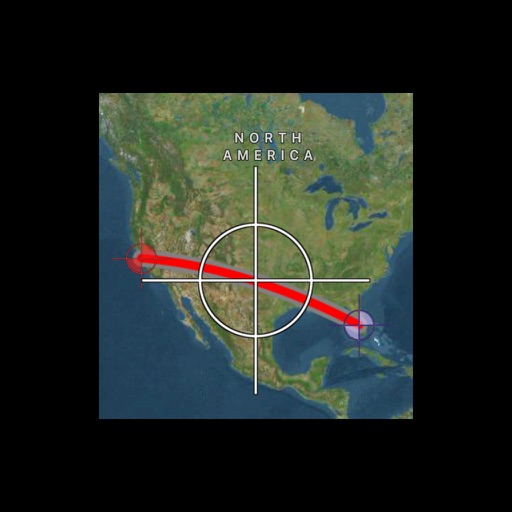
The app looks up any latitude/longitude coordinate on the earth's surface and displays it on a satellite image or map. It is useful for finding a location specified only by its coordinates or to map out a SIGWX area.
by Johan Bergsee★ 3.52 ratingsNavigationFreeData updated 2026-09-28
The app displays current location information automatically. Users can view coordinates, altitude, and addresses for current or specified locations, with options to change map formats and save locations.
Navigation allows users to view direction aligned with satellite imagery or maps. Displays street address, GPS coordinates, elevation, and What3Words codes. Taps switch between satellite and map views. Pinch or spread to zoom.
Add GPS data including date, time, latitude, longitude, altitude, weather, and compass to . Share geotagged images with friends to show travel locations. Track live location and embed it into captured .
The app displays map coordinates in multiple grid formats including British Grid, Irish Grid, MGRS, and UTM. It also shows Latitude & Longitude in decimal and sexagesimal notation for global use.
Get accurate GPS and latitude longitude instantly. Display in multiple formats including DMS, UTM, and MGRS. Convert between coordinate systems. Share precise location data directly.
Track location using latitude and longitude coordinates alongside Grid Locator System coordinates. Convert between coordinate systems. Display current position in both formats simultaneously.
Find and share locations with a map interface. Pin locations to view coordinates or addresses. Select transportation options to share real-time location updates. Quickly check current location or specific destinations with minimal clicks.
The app calculates distances and bearings between two points using latitude and longitude. It can also determine a final position from a starting point, distance, and bearing.
Monitor real-time GPS accuracy and switch between latitude/longitude and DMS formats. Copy with one tap. Toggle between metric, imperial, and nautical units. View location data quickly with a simple, reliable interface.
Navigate using true north calibration. View latitude and longitude coordinates. Access location and elevation data. Display compass direction and geographic position.
Photos with GPS data including , time, weather, and compass. Share geotagged photos with contacts. Add map markers, latitude, longitude, and altitude to images. Stamp photos with date and time. Sync data with captured photos.
Displays current coordinates, date, and time with a scrollable map. Share coordinates via SMS, email, Twitter, Facebook, or Weibo. Attach screenshots when sharing via email, Twitter, or Facebook. Copy coordinates to locate places using crosshairs.
Coordinates can be viewed and shared via decimal degrees, degrees-minute-seconds, degrees-minute-decimal, UTM, and military grid systems. Users can tap a map to retrieve coordinates and directions.
The app converts British National Grid References to Latitude, Longitude coordinates. It displays converted coordinates in the Maps app or sends them to GPS Log.
Display current coordinates, address, county, and altitude for exact location. Scroll the map to navigate and track surroundings. Open the to instantly view position details.
Display current with GPS coordinates, closest address, What3Words identifier, and Google Plus Code. Tap data to share via text message, email, or social media.
CEBINDEKI PAZAR E-TICARET ALISVERIS HIZMETLERI SANAYI VE TICARET LIMITED SIRKETI
Find locations, coordinates, navigate paths
Track current and specified locations with map views. coordinates or addresses via text or email. Set custom reminders. View orientation directions and distance measurements between points. Sync with other devices for real-time updates.
Display current location using GPS, GALILEO, and GLONASS. View position on various map layers. Import and export KML files. Navigate with coordinate systems. Track movement during outdoor activities.
Display current location and customizable info on large text screens. Create waypoints using location, crosshairs, or coordinates. Organize waypoints into overlays and navigate to them with arrows or maps. Track movement and view location details.