Apply real-time filters to photos using retro video game color palettes and resolutions. Choose from preloaded systems or purchase additional ones. Edit existing photos with available filters. Share filtered photos directly via the 's share dialog.
by sushiGrass★ 4.537 ratingsPhoto & VideoFreeData updated 2026-09-08
Edit photos with retouch tools to smooth skin, remove blemishes, whiten teeth, and enhance eyes. Adjust , slim figures, and reshape proportions. Apply filters and effects to alter appearance and enhance visuals.
Improves image quality and resolution. HD Filters and Effects allow professional-looking edits. AI Retouch and Skin Smoothing refine selfies with one tap. Export edited in high resolution and share across social platforms.
Enhance video streams with controls. Adjust settings like zoom and exposure time. Apply custom filters. Save and reuse filters. Works with third-party apps and websites that access input. No built-in support.
The app transforms an iPad into a vintage camera, applying original and striking retro effects to photos. Users can import images or take new ones with configurable flash and camera options, then enhance them with unique filters.
The app allows users to add captions to photos using a selection of 12 distinct fonts. Users can also apply one-tap filters to change the mood of their images.
Edit photos with frames, stickers, and creative collages. Apply effects like glass, hand, and board. Adjust brightness, contrast, and saturation. Share edited photos directly.
The app allows users to customize their iPhone camera with various atmospheric photo styles. It offers adjustments for brightness, contrast, blur, focus, and vignetting, along with 18 color filters.
The app allows users to express moods and feelings on photos using doodles, filters, and text. Users can choose from various props, filters, and fonts to enhance their images and share them on social media.
The app allows users to create color patterns and apply them to photos. Users can define custom patterns by adjusting colors for gray levels or modify existing ones.
Edit photos with skin smoothing, whitening, and acne removal tools. Apply blur and adjust face contours. Access dozens of drip with customizable backgrounds and colors. Share edited images directly.
Create art effects with one-click auto generation. Edit photos with filters, cutouts, background erasing, and changing. Blur images and adjust colors. Share edited photos directly to social media.
Apply filters inspired by real color film prints to photos and videos. Adjust colors pixel by pixel for realistic results. Save images in high resolution without quality loss. Compatible with editing software like Premiere Pro and Photoshop.
Create and send personalized photo greeting . Choose from various background designs and frames. Add text, graphics, and animations. Share via email, social media, or messaging apps. Edit photos and adjust settings before finalizing the card design.
Edit photos with AI filters, cartoon styles, and restoration tools. Enhance image details and convert blurry or damaged photos to HD. Apply over 200 AI templates to generate creative photos. Upload selfies to try different styles.
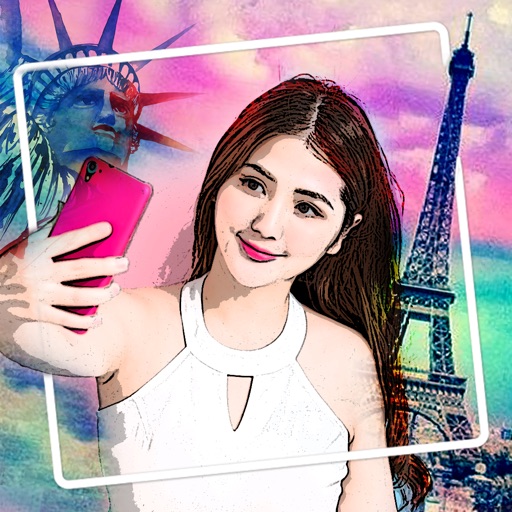
Apply woodcut style filters to facial photos for artistic portraits. Use cartoon, watercolor, and mosaic filters for creative effects. Save or share edited photos directly.
Apply AI-based filters to transform photos into -style art. Choose from various pre-designed templates. Edit and save modified images directly. No internet required for processing.