Apps Like Drip Wing Neon Spiral Art for iPhone and iPad
Edit photos with effect
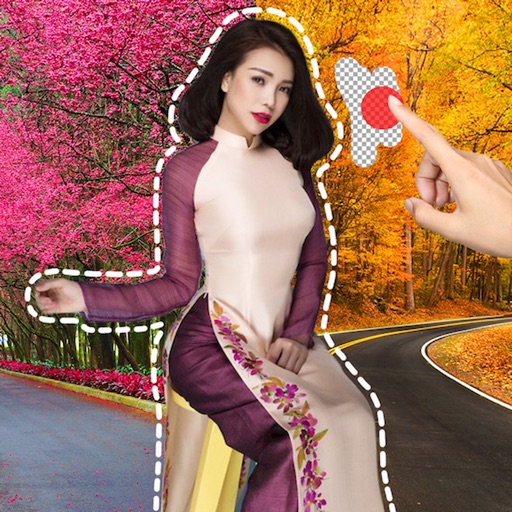
Create art effects with one-click auto generation. Edit photos with filters, cutouts, background erasing, and changing. Blur images and adjust colors. Share edited photos directly to social media.
by Prashant Yadav★ 5.08 ratingsPhoto & VideoFreeData updated 2026-09-06
Apply art to photos for creative visuals. Add spiral effects and blur backgrounds. Use emoji art, background art, and outline art to enhance images. Apply AI, cartoon, neon, and mask effects. Create retro, atlantis, and big camera styles.
Edit photos with 100+ presets and trending filters. Apply drip art, neon, and spiral frame effects. Add typo text and customize image sizes for social sharing. Use AI-powered background eraser and blend tools.
Edit photos with effects, spirals, art, and beauty filters. Add background arts and adjust brightness. Export edited images in various formats and share directly.
Edit photos with text effects and auto background changes. Add customizable signs and text. Adjust brightness and contrast. Save and share edited images directly.
Edit photos and videos with filters, effects, and frames. Crop, adjust brightness and contrast, and add text. Share edited content directly with friends.
Edit photos with filters, effects, and AI tools to remove or blur backgrounds. Add stickers, text, and frames. Apply glitch, neon, and drip effects. Adjust colors and crop images. Export and share edited photos directly.
Edit photos with AI cartoon filters, -to-sketch conversion, and mosaic art creation. Remove backgrounds, add drip art, and create collages. Save and share edited images directly.
Edit photos and videos with filters, effects, and advanced tools. Remove backgrounds, create collages, and design mood boards. Access AI-powered features for art generation and scene switching. Export and share edited content in multiple formats.
Faces in photos and videos using AI technology. Apply funny filters and edit images. Generate AI avatars and create -swapped content. Preview hairstyles and edit photos with customizable effects. Share finished content directly.
Remove image backgrounds using AI for transparent effects. Edit photos by cutting specific areas manually. Add new backgrounds, text, and stickers. Create profile pictures with customizable options.
Create collages with 20000+ layouts and effects. Add stickers and text to photos. Edit images with cropping and filters. Make videos with carousel and slideshow options. Share directly to Instagram.
Edit photos with enhancement tools, effects, and color splash. Add stickers, frames, and overlays. Create collages and custom drawings. Crop, rotate, flip, and straighten images. Adjust brightness, contrast, and saturation.
The app offers over 1000 effects, including AI art styles, background replacement, and makeover options. Users can create unique photo montages and collages with a built-in editor and share their creations.
Edit photos with filters, cropping, and AI enhancements. Adjust colors and brightness. Add text, stickers, and overlays. Create collages and cards. Edit videos with trimming, transitions, and effects. logos, flyers, and social media content.