Apps Like CameraSim for iPhone for iPhone and iPad
Learn DSLR camera controls visually.
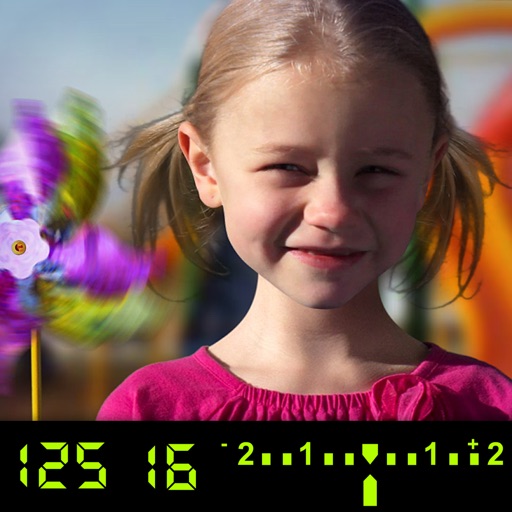
The app visually explains DSLR camera controls. Users can experiment with settings and see the effects on a sample image, receiving feedback on their choices.
by Tuitive, LLC★ 2.02 ratingsEducation$1.99Data updated 2026-09-27
Auto-focus and exposure adjust automatically for portraits. AI enhances depth and background blur. Use Photo Coach for real-time guidance on composition and technique. Edit photos with filters, cropping, and adjustments.
Control your camera remotely with . Adjust settings like aperture, shutter speed, and ISO. Use Smart Mode for automatic scene recognition and setting optimization. Trigger focus and exposure adjustments. View live preview and review captured photos.
Digital fundamentals through 15 interactive lessons and activities. Use shutter speed, ISO, and aperture calculators to adjust settings. Explore animated camera models to understand or mirrorless functions.
Create custom wallpapers with scaling and resizing options on various backgrounds. Choose from color, gradient, pattern, bokeh, and text effects. Apply parallax effect for all iPhone and iPad devices.
Capture photos with manual controls for ISO, shutter speed, and flash settings. Apply authentic tones and grain. Export images in high-quality formats. Adjust exposure and focus manually. Share photos directly from the .
Capture photos and videos with retro color effects inspired by CCD cameras. Adjust high contrast settings and use a vintage interface. Record audio with analog-style filters. Share edited content directly.
Adjust exposure settings with precision, including extended sensitivity and independent calibration. Measure incident and reflected light. Save exposure data. Connect with f/Tools. Choose between two interface designs.
Capture photos with manual exposure and focus controls, RAW and TIFF support, and real-time adjustments. Edit images with advanced tools, apply effects, and export in high-quality formats. Share photos directly from the .
Take photos by setting time from 1 second to 180 seconds. Capture night scenes, fireworks, and starry skies. Use Bluetooth remote shutter for hands-free shooting. Adjust settings for dark environments to avoid overexposure.
Capture photos and videos using voice commands. Take a photo, start or stop video recording, reverse the , and enable or disable the flash. Voice recognition works offline on iOS 13 and higher. Configure custom phrases for commands.
Create 3D effects by moving the phone to capture multiple angles of a subject. Apply filters and effects to enhance the image. Add customizable background blur to simulate professional camera quality. Export videos without watermarks.
Edit photos with crop, rotate, exposure, color, sharpness, and resize tools. Create grid collages and edit individual images. Access presets, clone tool, and fine curve adjustments for detailed edits. Export and share edited photos directly.
Capture still images and long exposure photos with manual focus and exposure control. Adjust white balance, shutter speed, and aperture. Save and share high-resolution images directly.
In and out up to 15x while taking photos using a slider. Auto-stabilize images and videos. Adjust photo quality automatically. Use timer settings for 3, 10, or 20 seconds. Enable tap-to-shoot or swipe-to- options. Video available via in- purchase.
Record and stop-motion videos with support for SDR Video, HDR Video, Apple Log, 12MP, and 48MP photos. Adjust playback speed after recording. Edit footage with advanced tools. Export in various formats. Control settings during capture.
The app offers tools for photo editing, including frames, layouts, and effects. Users can adjust color balance, brightness, contrast, and saturation, and apply sharpening or blurring.