Create photo collages and composite images by combining up to 11 photos in a single layer. Remove unwanted areas with the background eraser tool. Adjust color tones to enhance image appearance. Export edited photos in various formats.
by handyCloset Inc.★ 4.819,832 ratingsPhoto & VideoFreeData updated 2026-09-08
Edit photos to slim the waist, shape the butt, tone arms, adjust thighs, increase bust size, and enhance skin tone. Remove blemishes and refine skin texture. Access in- tutorials for guidance. Export edited images in various formats.
Convert photos into or vector styles using AI. Apply over 100 background effects. Edit portraits with customizable avatars. Share edited images directly.
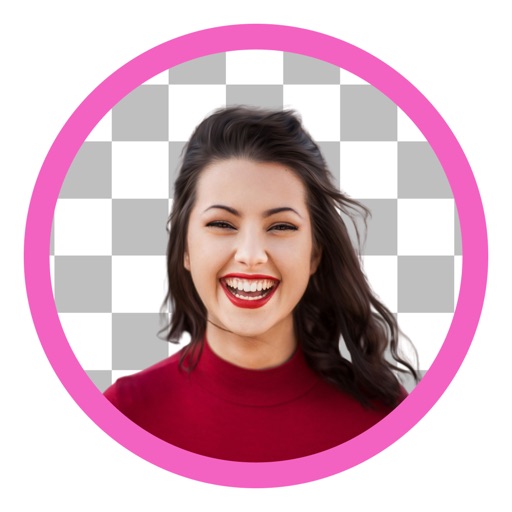
Backgrounds and unwanted objects from photos using AI-powered tools. Edit and arrange images, then save as PNG, JPG, or WebP. Share directly or export in high-resolution formats. No watermarks in free version.
Edit photos with real-time cartoon effects and aging filters. Apply artistic effects with one tap. Add text, stickers, and adjust colors. Export edited images in multiple formats and share directly.
Create montages by placing your in photos. Add to images. Select photos from the gallery or capture new ones. Share finished montages via social networks or messaging apps.
The app allows users to crop photos into a square shape for posting on Instagram. It supports both landscape and portrait orientations and offers various background options and effects.
Edit photos with auto and drawing tools. Apply 20+ effects and unique shapes. Zoom for high-resolution details. Use brush offset to avoid finger interference. Preview and adjust focus areas. Export edited images directly.
Edit photos by removing objects, people, blemishes, and watermarks using AI-powered tools. Erase unwanted elements with simple taps and swipes. Retouch imions and eliminate logos, signs, and distractions from images.
Edit photos with -themed overlays and templates. Use erase, flip, zoom, rotate, and move tools. Apply fancy crop options. Export high-quality HD images.
Enhance image quality by unblurring and sharpening photos, reducing noise, and upsizing for clarity. Improve video clarity with noise reduction and motion smoothing. Sharpen PDF text and lines for better readability.
Photo backgrounds using AI-powered object recognition and automatic cutting. Edit images to create transparent backgrounds. Erase objects or elements with realistic results. Save and share edited images directly.
Add and choose from over 80 fonts to customize appearance. Adjust typography style and layout. Share edited images to social media or save to library. Create -based posters with or without background images.
Edit photos with filters, effects, and text tools. Add stickers, shapes, and draw over images. Adjust colors, lighting, and focus. Crop, resize, and enhance details. Apply tone curves and retouch features. Export and share edited photos.
Edit photos with unblur, object removal, and background cleanup tools. Apply AI filters, artistic styles, and motion effects. Create photo animations with one tap. Export and share edited images directly.
Edit photos by adjusting overall or selectively changing specific areas with customizable . Apply various filters to enhance images. Retain original for any part of the . Export edited photos in different formats.
Remove unwanted parts of photos using AI-powered erasing. Add colors or images to create new backgrounds. Crop, draw over, and undo edits. Zoom for precision and blur edges. Save and share edited photos.
Edit photos or by selecting from a gallery and applying a frame. Choose background music or a song. Adjust position, scale, and rotation with touch gestures. View and share the edited content with friends or social media.