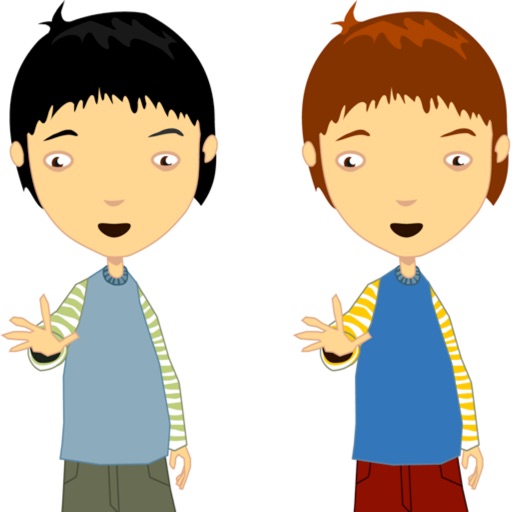
The app allows users to make a person appear twice in a picture, creating a twin effect. Results can be shared via social media or email, or saved to a photo album.
by Ramin Rezaiifar★ 3.67 ratingsEntertainmentFreeData updated 2026-09-26
The app allows users to draw and write on their iPad, functioning as a notepad or blackboard. Users can add typed text, choose background colors, and save or share their creations via email or social media.
Create invitations with customizable free layouts and a library of images. Choose from various occasions like birthdays, weddings, and holidays. Add text, images, and designs. Share invitations via email or social media. Export as PDF or image files.
Create photos without cropping. Edit images with filters, backgrounds, and layout adjustments. Make photo collages using hundreds of layouts. Share high-quality photos to social media platforms. Adjust ratios and add text for customization.
The app provides tools for creating stop-motion films on a mobile device. It includes camera functions, album management, photo editing, and video assembly features for creating movies.
Edit photos and save them to the album. Share images via email, Twitter, and Facebook. Apply virtual glasses to photos for a new look. Send edited photos to friends directly.
The app allows users to print photos, photo books, and personalized gifts from their smartphone. Users can select photos from their device or social media, choose formats, and customize products before ordering.
Edit photos with brightness, contrast, and color adjustment tools. Apply over 1000 effects and filters. Add text, stickers, and animations. Share photos directly to social media or email. Export in various formats.
Change selfie backgrounds for celebrity makeovers.
The app allows users to change the background of selfies and merge pictures without erasing. Users can rotate, resize, add text with font and color options, and choose from over 65 backgrounds.
Create reflection for photos with left-right, up-down, and repeating options. Apply cool filters and artistic frames. Edit images to generate twins and typography .
Care for hedgehogs by feeding them mealworms every 3 days and cleaning their habitat weekly. Tap hedgehogs to make them round. Raise multiple hedgehogs of various colors and watch them grow over time.
Allows users to color pages with finger or stylus. Includes a variety of books and templates. Features a drawing mode for creating custom artwork. Lets users save and share their creations. Offers a gallery to view and manage completed drawings.
Create and share short videos as animated GIFs or MP4. Capture frames with the or import photos, videos, or live photos. Apply real-time color filters, add text or frames, and record stop motion.
Resize photos to custom dimensions for social media, websites, and emails. Adjust sizes via slider or manual input. Access photos from camera, files, or web links. Save edits to history and share directly or store in photos.
The app offers photo editing tools including filters, effects, and adjustments for brightness, contrast, and saturation. Users can add text and stickers to their images before sharing them.
Take a photo of a person using the camera. The analyzes the image and displays colors representing the person's . Users can view the results to gain entertainment value about the person's perceived or mood.
Identify a single tile that differs in color from others. Tap the unique tile to progress. Two modes available: single and twin, with twin offering increased difficulty. Track progress and challenge yourself with varying levels.