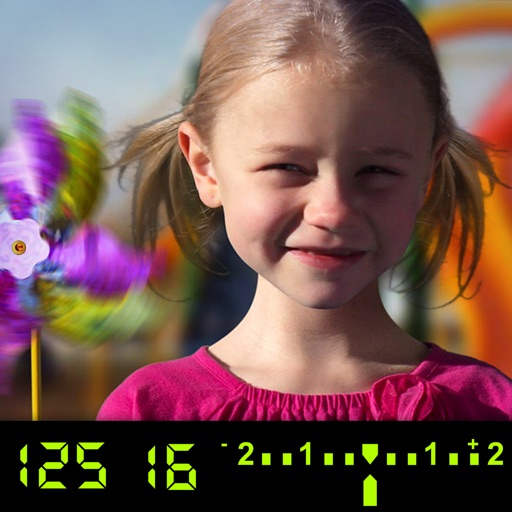
The app visually explains DSLR camera controls and allows users to experience the effects of various settings. It provides instant feedback and advice on user settings, making it a tool for learning photography.
by Tuitive, LLC★ 3.613 ratingsEducation$1.99Data updated 2026-11-01
The app provides augmentative and alternative communication for children with disabilities. It allows users to create custom boards with pictures and text-to-speech functionality in multiple languages and voices.
Add to photos with machine learning. Choose from Bokeh, Box, Motion, Crystallize, or Pixelate styles. Adjust intensity with a slider. Apply to single or multiple images.
Edit videos with trimming, splitting, rotating, flipping, reversing, deleting, and duplicating clips. Merge videos, photos, and live photos. Reorder clips as needed.
Allows users to view, edit, and remove metadata from photos. It displays EXIF tags such as camera settings and location. The includes an extension to view metadata directly in the Photos . Users can manage privacy by editing or deleting metadata.
Take photos with single-tap effects and professionally designed filters. Adjust brightness and contrast. Apply blur and focus. Rotate and crop images. Export edited photos in various formats.
Edit photos with single-tap effects and professional filters. Adjust brightness and contrast. Apply blur and focus tools. Enhance portraits with specialized filters. Export edited images in various formats.
The app provides photography basics for beginners and tools for professionals. It offers interactive lessons on exposure, aperture, shutter speed, ISO, depth of field, and white balance.
APPAS SOLUTIONS, SOCIETATEA CU RASPUNDERE LIMITATA
Accurately and reduce blur for clearer images
Enhance image clarity and reduce blur during digital beyond 60x compared to standard . They improve visibility in low-light conditions and help capture detailed images without a dedicated camera.
Offers DSLR-level photography with P and M exposure modes. Adjust shutter speed and ISO manually or automatically. Access film simulation settings for grain texture and contrast. Capture high-quality photos with mirrorless-level controls.
Calculate dimensions and properties of 2D and 3D shapes. Input measurements to determine area, volume, surface area, and perimeter. View interactive 3D models of solids like cube, sphere, and cylinder. Switch between 2D and 3D views for each shape.
Edit photos with advanced tools like layers, masks, and adjustment brushes. Crop, rotate, and resize images. Add text, stickers, and special effects. Export in various formats and share directly.
Adjust exposure, focus, and white balance manually. Capture images in RAW DNG format. Save photos to roll. Access advanced controls for precise adjustments. Replace automatic settings with custom configurations.
Take high-quality photos (48MP) and record live photos and videos. Use ultra-wide, wide, and telephoto lenses. Access the from the lock screen widget. Adjust focus and exposure manually. Sync with Apple Watch. Share photos directly without ads.
Edit photos using a variety of art filters and effects. Apply themed backgrounds and templates like Memphis, Poster, and Tropical. Customize designs with layered elements and export edited images in multiple formats.
Edit photos with filters, presets, and effects. Add text and stickers. Explore curated locations and maps for photography. Share edited content directly. Sync with social media platforms.
Adjust using AI analysis of live camera previews. Display Kelvin temperature values. Measure ambient light conditions without external sensors. Save and compare settings for different lighting scenarios.
Explore 249 countries and 50 U.S. states with realistic flags and national anthems. Tap to play anthems, double-tap to link to Wikipedia. Use gesture controls to navigate the 3D . View time zones and country information in multiple languages.