Create photo collages and composite images using multiple layers. Remove unwanted areas with the background eraser tool. Adjust color tones and export edited photos in various formats.
by handyCloset Inc.★ 4.81,327 ratingsPhoto & Video$4.99Data updated 2026-11-09
Edit photos with facial retouching tools to remove blemishes and enhance skin tone. Add artistic filters and effects to selfies and portraits. Export edited images in high quality and share directly from the .
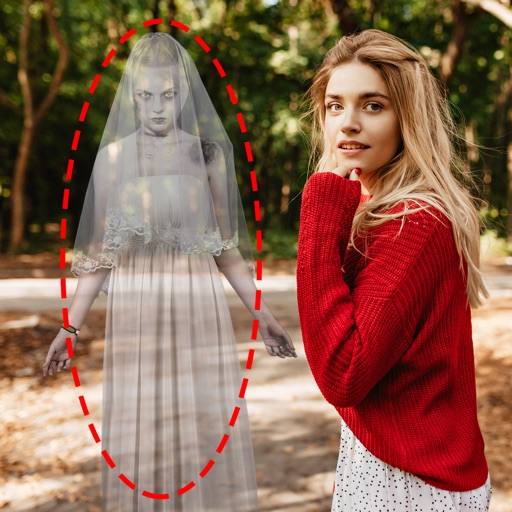
Edit photos by adding ghosts, monsters, or zombies from 62 options. Adjust transparency, color, saturation, brightness, and contrast for each creature. Position and resize creatures freely. Share finished photos with friends.
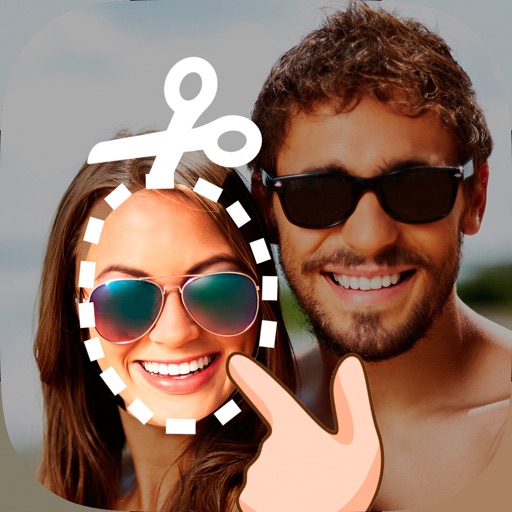
Edit photos by cutting and pasting faces, removing backgrounds, and deleting unwanted people. Add missing faces to photos. Use the silhouette head tool to select and edit elements. Export edited images directly.
Create collages with multiple layouts and effects. Combine photos from gallery or camera. Merge videos into single clips. Add transitions and effects. Edit images with cropping and filters. Share finished collages directly.
Create and edit digital art with brush tools, layers, and color blending. Import photos and sketches. Adjust brightness, contrast, and saturation. Add text and shapes. Export artwork in various formats and share directly.
Edit photos with AI-powered enhancement, restoration, and colorization. Remove unwanted backgrounds and repair scratched images. Save and share edited photos in various formats.
Edit photos with one-tap AI magic for enhanced details and clarity. Remove duplicates and clutter using smart cleanup tools. Organize and manage media with a virtual cat companion that tracks progress.
Backgrounds from images using a variety of tools. Select and erase unwanted areas with precision. Save as transparent PNG or replace with a new . Edit and refine edges for clean results. Export edited images in multiple formats.
Edit photos with AI-powered background removal and erasure. Refine edges manually for precise results. Enhance image quality and create professional-looking photos without design skills.
Edit photos with modern filters and presets. Adjust colors and tones using advanced grading tools. Crop, rotate, and enhance images with precise controls. Export in various formats and share directly.
Create collages, stories, and posts from photos with 1000+ layouts and themed templates. Remix up to 20 images with editing tools. Apply filters, remove backgrounds, and add cutouts. Share directly to social media or save as files.
Edit photos by removing objects with a magic eraser and auto-cutout tools. Adjust colors, apply filters, and enhance details. Save and share edited images directly.
Create and edit videos using pre-designed with text, animations, filters, and music. Add effects and customize layouts. Export final videos in various formats.
Photos by flipping horizontally or vertically. Create reflections and repeating patterns. Apply effects and frames. Design collages with multiple layouts. Export and share edited images.
Edit photos with crop, rotate, exposure, color, sharpness, and resize tools. Create grid collages and edit individual images. Access presets, clone tool, and fine curve adjustments for detailed edits. Export and share edited photos directly.
Create custom wallpapers with scaling and resizing options on various backgrounds. Choose from color, gradient, pattern, bokeh, and text effects. Apply parallax effect for all iPhone and iPad devices.
Create collages by combining up to 16 photos. Choose from 250+ templates. Import and resize photos. Customize with backgrounds, frames, stickers, and text. Adjust angles and select from various fonts and colors.
Allows trimming, cutting, and adding effects to videos. Collage lets arrange multiple photos into grids or layouts. Slideshow creates timed photo presentations with music. Photo offers filters, cropping, and text tools.
The app allows users to combine multiple photos into a single collage. Users can select from various layouts and frames, add captions, and apply special effects.