Create photo collages and composite images using multiple layers. Remove unwanted areas with the background eraser tool. Adjust color tones and export edited photos in various formats.
by handyCloset Inc.★ 4.81,329 ratingsPhoto & Video$4.99Data updated 2026-11-13
Edit photos by removing people and distractions, then replace with customizable backgrounds. Create professional headshots with LinkedIn Shots. Try realistic hair changes including styles and colors.
Apply -style to photos for instant professional edits. Choose from 105+ categories with over 950 . Adjust brightness, contrast, and color tones. Export edited images in various formats. Share directly to social media or save to device.
Select photos from gallery or capture new using camera. Choose a and apply suits. Adjust muscles and six packs. Save and share the edited on social media.
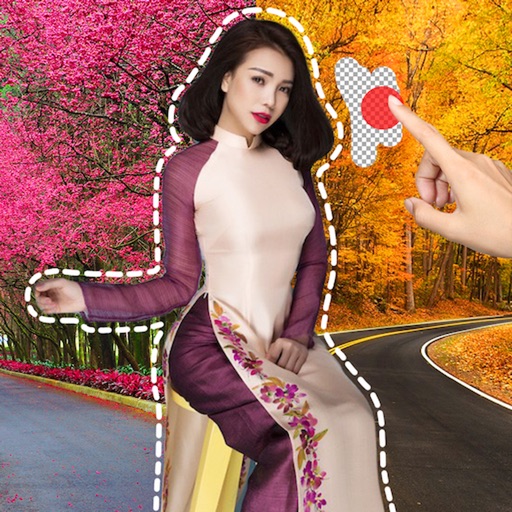
Create collages by dragging and dropping cutouts from the photo library. Use smart cutout for quick image selection or long-press to manually cut photos. Edit collages with unlimited drag and drop functionality.
Remove backgrounds from photos using AI technology. Replace backgrounds with photos from the library, captured images, or selected colors. Adjust settings for precise edits. Export edited images directly.
Remove backgrounds from photos with AI-powered detection. Select transparent, white, or custom backgrounds. Edit images by removing people, faces, products, animals, text, and objects. Export edited images in various formats.
Remove backgrounds from photos by tapping areas to erase. Automatically or manually adjust transparency. Save edited images in HD quality. Export and share edited photos directly.
Edit photos with filters, frames, and collage templates. Add effects and select from various photo types. Create collages by choosing images and applying pre-designed layouts. Export and share the final edited photo.
Remove image backgrounds using AI for transparent effects. Edit photos by cutting specific areas manually. Add new backgrounds, text, and stickers. Create profile pictures with customizable options.
Capture photos with a variety of frames including general, antique, fame, fun, heart, flower, kid, Christmas, Halloween, diamond, and gold. Use custom frames with adjustable transparency, hue, saturation, and brightness. Apply filters and effects.
The app offers an unlimited size canvas and layers for creative freedom. It includes over 100 preset brushes simulating various painting styles and allows playback of the entire painting process.
Edit photos with AI-powered tools like Magic Eraser and AI Background Changer. Remove unwanted elements, generate images, and enhance photos without manual adjustments. Create studio-quality edits and share directly.
Objects, people, or blemishes from photos. Edit backgrounds and save as PNG or JPG. Crop images, add text, filters, logos, or watermarks. Use one-click background removal and clipping tools.