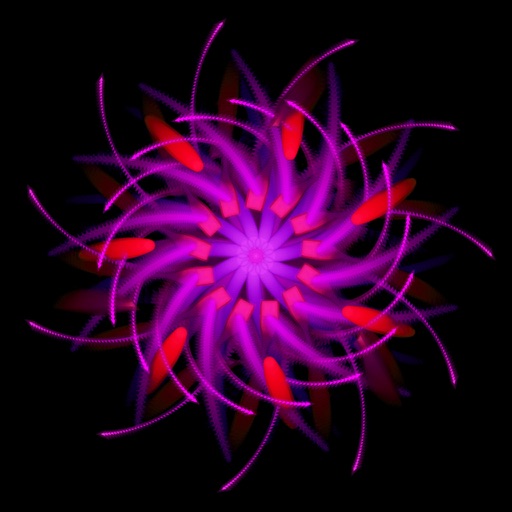
Create kaleidoscope patterns by swiping fingers across the screen. Adjust the number of lines and line color. Use multi-touch for advanced control. Save generated artwork to the device's Camera Roll.
by Aaron Neugebauer★ 4.58 ratingsEntertainmentFreeData updated 2026-09-08
Create and on a blank canvas or in real-world space using AR. Generate images with AI. Apply color and use simple tools to edit outlines. Sync drawings across devices. Export creations in various formats.
Play a rhythmic music game by swiping in four directions to match animal patterns. Unlock new animals and buildings to expand your parade. Face unpredictable challenges like blind spots and camera changes.
Create drawings with a variety of colors and brushes. Select from pre-designed templates and characters. Add animations and sound effects. Save and share artwork directly.
Draw and color images of and vegetables with a variety of colors. Choose from 50 different doodles. Save and load pages. Includes educational content for toddlers.
The app allows users to draw, sketch, and color various shapes and imported images. Users can save artwork to their library, send it via messages or email, and share it on social networks.
AR Camera Projection allows users to images onto paper using their phone's camera. 300+ templates provide a variety of sketching options. Users can adjust line weight and color. Export drawings in multiple formats and share directly.
Control a ball to roll through a tunnel with rotating obstacles. Collect coins and rewards. Unlock cards and compete against challenges. Adjust obstacle colors to strategize and improve performance.
Explore by applying simple rules to generate complex patterns. Customize colors, adjust parameters, and create unique simulations. Save and share generated patterns. Manipulate grid size and initial conditions to experiment with different outcomes.
Slide tiles to merge numbers and reach . Combine identical tiles to create higher values. Swipe in four directions to move tiles across the grid. Track progress and restart at any time.
Is a vector-based drawing tool for 2D CAD. Users can create lines, rectangles, ovals, arcs, polygons, and text. Freehand drawing with vectorization and spline tools is available. Objects have adjustable attributes.
Book allows users to color pages, add finger paint effects, and save artwork. Includes holiday and themes. Features include erasing, zooming, and sharing completed drawings.
Create fractal art using mathematical equations. Generate intricate patterns with customizable parameters. Adjust color, scale, and iterations. Save and export designs in various formats. Share creations directly from the .
Create abstract images and patterns with finger swipes. Adjust shapes and colors interactively. Save and share custom designs. Build personal galleries of unique .
The app provides vector drawing tools including lines, shapes, and freehand drawing with vectorization. Users can edit object attributes, use snapping functions, and manage drawings across multiple layers and an object library.
Create drawings with customizable brush colors and sizes. Select from 60 color options for background and brush. Save or share artwork. Use random mode to change brush size or color automatically. Access 20 levels of undo.
Create and explore evolving visual environments with touch interactions. Save screenshots, change colors with double taps, clear the screen by shaking, and customize shapes and modes through controls. Use personal photos to enhance creative play.
Create dynamic lighting effects using device LED and accelerometer. Adjust colors and patterns for different modes. Sync with music for rhythmic lighting. Share custom shows. Control brightness and effect intensity.