Share text, links, and files between devices on the same Wi-Fi network. Content is available for 30 minutes. Upload via browser and access instantly through the . No passwords or additional setup required.
by Dmitry Polyankovskiy★ 4.84 ratingsProductivityFreeData updated 2026-09-08
The app allows users to send texts and files from a computer to an iPhone. Options include sending SMS messages, copying text to the clipboard, triggering URL schemes, and uploading files.
Recordings directly from the Apple . Select multiple recordings, use the share option to them, and save the combined file back to Apple or another location.
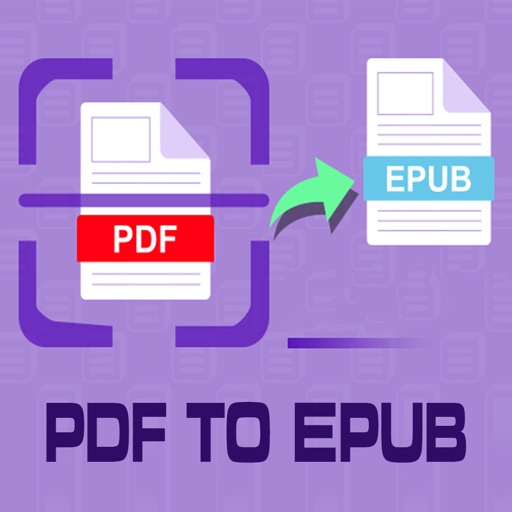
Convert PDF files to format for mobile reading. Edit text, adjust fonts, and customize margins. Export as and share or save to device. Supports iPad, iPhone, and ebook readers.
Access and back up phone photos across devices via browser without needing extra software. Share files using time-based filters and detailed settings. Connect devices on the same Wi-Fi network to start instantly.
Copy :// links directly from websites or apps. Tap a link to open . Copy the link to your clipboard. Share it or use it with other apps without additional steps. Manage links efficiently on iOS devices.
Record memos with high-quality audio. Capture unlimited length recordings. Record in the background while using other apps. Organize and manage files. Export audio in multiple formats. Share recordings directly.
Access files on your QNAP NAS from iOS devices. Upload photos and documents directly to the NAS. Create download links to share files via email or SMS. Email files as attachments. Manage files and folders remotely.
Transfer files between iOS and Android devices without cables, internet, or cloud storage. Send photos, videos, music, documents, and apps directly. Encrypt data to ensure privacy during transfers. Initiate transfers from either device.
Manage with playback of audio and video formats. View and edit text documents. Perform copy, cut, paste, rename, and delete actions. Chat privately without internet. Track GPS locations to find people in offline environments.
Open P7M files digitally signed, view content and certificate signers. Import from cloud apps, Files, Mail, or Safari. Export or print content files. Open PDF PAdES signatures and view PDF details.
Transfer files between devices without cables, internet, or data. Send photos, videos, music, contacts, documents, and more with a tap. Receive files instantly across iOS, Android, and web platforms.
The app allows users to upload and download files between iOS devices and computers. It supports file and folder management, viewing various file types, and generating image thumbnails.
Manage files by uploading to and viewing content from the IPFS network. Access IPFS and IPNS links directly. Share files via links and view stored data within the .
Locks photos, videos, and contacts with a password. Hidden Notes stores sensitive information securely. Quick Access allows instant access to frequently used items. All data is encrypted to protect privacy.
Access and share data securely through a cloud application. Send files and emails with encryption. Take compliant photos that automatically upload to the cloud. Prevent data leakage to other apps or storage locations.
Securely store and manage passwords using a master password. Support for Password Safe and KeePass formats. Enable Face ID or Touch ID for access. Share password vaults with family members. Sync across devices and back up data.