Take notes on one device and sync them instantly for access on another. Create, edit, and organize notes. Share notes between devices in real time. Save notes with timestamps and tags.
by David Gibson★ 3.09 ratingsUtilitiesFreeData updated 2026-09-08
Record and transcribe meetings, conversations, and audio files. Organize content into structured with timestamps and speaker tags. Highlight key points and export in text or PDF format. Share directly with team members.
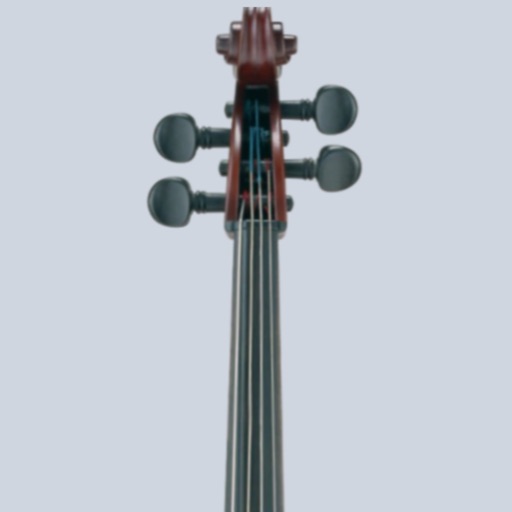
Tune cellos to standard pitch with a visual needle and audible notes. Switch between automatic note detection and chromatic modes. Adjust tuning settings for precise pitch accuracy.
Browse the web with ad blocking and quick search features. Sync bookmarks and browsing data across devices. Save web content in a personalized scrapbook. Customize the interface for intuitive navigation.
Note-taking allows users to create and organize notes with category switching and pinning. Set multiple alarms and recurring reminders. Sync notes across Apple devices. Protect notes with password or Touch ID.
Access sermons and devotional content. Take notes during sessions. Share personal stories with the . Make donations and participate in activities. Receive updates and announcements.
Scan documents, receipts, and notes using OCR to extract text. Save scans as PDF or JPEG. Share files directly or export text for reuse. Organize scanned items into folders. Edit and annotate scanned images.
Create reminders and to-do lists with customizable icons, colors, and subtasks. View calendars and manage tasks with detailed notes. Sync across devices and organize daily schedules visually.
Capture thoughts, organize tasks, and plan events with a structured journaling interface. Set reminders, track progress, and sync across devices. Import notes from other apps and create recurring tasks. Export entries in multiple formats.
Transcribe audio from meetings into text in real time. Organize notes with timestamps and speaker tags. Generate summaries and highlight key points. Share transcriptions and highlights with team members.
Combines a private browser with note-taking, calendar, calculator, and PDF viewer. Users can browse incognito, take notes, manage schedules, perform calculations, and view documents. Premium unlocks unlimited notes and enhanced calendar features.
Save articles and materials for later reading. Organize content into folders and tags. Use AI to summarize and highlight key points. Search saved content by keywords. Export notes and highlights. Sync across devices.
Protects private with a password and biometric unlock. Access secured info with a master password. Automatically locks with password login screen when is closed or in background.
Send notes, reminders, and files by with one tap. Set multiple addresses and customize subject and from fields. Share from other apps or use Siri. Support dark mode and multiple file sends. Compatible with all providers.
Write daily entries with a cute character. Collage and organize notes in a cozy, themed interface. Track mood and growth over time. Set self-discipline reminders and record daily reflections. Access free materials from material store.
Take notes with quick typing or drop-down menus. Add new notes via the “+” button or Share Sheet. Save notes from Notification Center. Sync across devices. Use voice commands with VoiceOver support.
Record notes without limits and manage them through USB or WiFi transfer. Protect recordings with a passcode, loop sessions, trim clips, and mark favorites.
Capture fleeting thoughts and organize them into structured . Set reminders and track habits through -based messaging. Create dedicated Spaces for , tasks, and personal goals. Sync across devices and manage multiple conversations in one .
Create and organize with label classification for easy sorting. Insert pictures directly into for visual reference. Choose from special paper styles to customize note appearance.
Record notes, diaries, and reminders using text, images, Live Photos, videos, audio, or geolocation. Organize entries with up to four custom categories and multilevel tags. Add questions to prompt detailed responses.