The app stores construction project information with room template drawing and automatic property calculation. Exported documents include contact information from the Address Book.
by GAL Digital GmbH★ 1.02 ratingsBusiness$0.99Data updated 2026-09-23
Secure digital streaming for guild members to watch shared content. Access requires authorized credentials. Users can play videos, pause, and navigate through content. No external sharing or downloading allowed.
Manage hotel rooms with real-time availability tracking and type customization. Create and update reservations, assign guests to specific rooms, and handle check-ins and check-outs.
Streamline construction finish inspections with iPad.
The app streamlines finish inspections for condominiums and other construction projects using an iPad. It allows users to enter pointed-out locations by tapping drawings and register information by selecting from displayed option lists.
Track development progress with a clear interface. Create unlimited entries and items per . Sync across devices using iCloud. Manage project timelines and task completion status.
Track projects, manage tasks, and monitor progress
Track equipment with unique QR codes for real-time location and status updates. Manage inventory by creating and organizing equipment entries. Streamline project workflows with intuitive tools tailored for construction management.
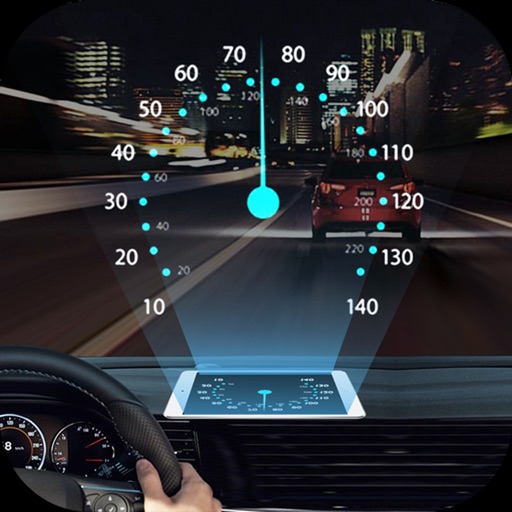
Projects speed, clock, weather temperature, cruise control, and now playing song information onto the windshield when iPhone is rotated and placed near the windshield. Displays data in landscape mode for easier visibility while driving.
Manage tasks, track progress, and organize projects
Todos allows users to manage construction projects with modular tools including project tracking, team collaboration, estimating, takeoff, and bid comparison. Modules can be added or removed as needed.
Turn iPad into a wireless whiteboard. Annotate PDFs and images live by projecting them to a computer on the same network. Draw, write, and highlight in real time using the iPad's screen. Share annotations directly from the web browser.
Manage door throughout a building project. Document existing , perform compliance checks, and track modifications. Share data with team members and access project details from mobile devices.
Adjust sensors via Bluetooth and configure settings
Adjust sensors with Bluetooth connectivity. View measured values and sensor status. Configure settings via an intuitive interface. Enter serial numbers to access relevant information. Display diagnostic data and adjust parameters remotely.
Edit and annotate PDFs with text and drawing tools. Create and modify documents directly. Recognize text in images using OCR. photos, PDFs, and documents from the device. Connect to printers via Wi-Fi or USB.
The app documents and shares information for the EJ-500 expansion joint system. It allows for easy uploading of data and photos for construction projects.
Measure angles in images using a built-in protractor . Select and adjust points on the image to calculate angles. Save and export results. Share data via email or cloud storage.
Create animated text and image banners for displays. Customize colors and text. Save projects to reuse. Display animations without significant battery drain. Share content via social media or messaging.
Files, photos, and text directly from your phone using a wireless . Scan and convert documents with OCR technology. Manage and organize scanned files. Share printed or scanned content via email or cloud services.
Estimate construction material quantities for building and paving projects. Input job parameters like length, width, and thickness. Select material properties such as density from predefined options.
Capture and manage photos with geo-referencing features. Each image includes GPS, bearing, and descriptive metadata. Upload and organize unlimited visual data. Document construction projects with timestamped and location-tagged photos.
Create and manage property walk routes by drawing lines or polygons on aerial maps. View properties in order or within a selected area. Add notes to individual property records for organization and reference.