Design pumpkins with customizable parts and preview
Design a by customizing background, title, eyes, and mouth individually. Use left and right panels to select items separately. Preview without panels. Create a random with the wizard button. Move the freely.
by Imran Shirajee★ 1.01 ratingsEntertainmentFreeData updated 2026-09-08
Edit photos by applying filters and adding eye effects. Choose from multiple eye styles and import images from the camera roll. Share edited photos on social media platforms like WhatsApp, Facebook, and Twitter.
Blur faces or sensitive information with a single tap. Apply masks, adjust blur intensity, and resize or rotate blurs. Preview, save, and share edited photos. Protect privacy by blurring documents, license plates, or unwanted elements.
Control LEGO Up models via Bluetooth to operate motorized engines. Program custom movements and trigger responses to real-world events. Build and test creations using LEGO components. Track and manage projects within the .
Edit photos with border, frame, text, and sticker options. Add custom textures or personal photos as design elements. Use high-resolution stickers to enhance creations. Export edited images in various formats.
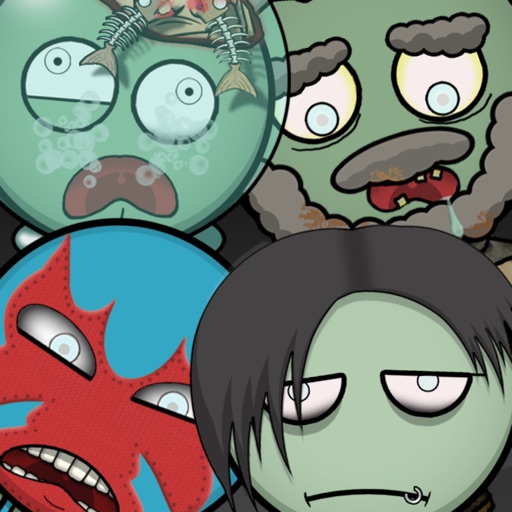
Create custom zombies by selecting from backgrounds, bodies, clothes, eyes, hairstyles, heads, legs, and mouths. Share creations via email, Twitter, Facebook, or save to disk. Access an integrated store for additional parts and regular updates.
Identifies colors by name and describes their appearance. It allows users to adjust palettes for better visibility. The simulates blindness to help users understand perception differences.
With filters, cropping, and adjustment tools. Apply beauty enhancements and double exposure effects. Use color splash and resize images. Access frames and story templates. Change resolution and export in multiple formats.
Create images of boys and men by adjusting features like eyes, mouth, hair, cheeks, clothing, and accessories. Save or share the created images. Explore various character styles including metro and beefcakes.
And video by connecting a camera and microphone to your iPad. Start streaming on the move and save footage to built-in storage or an SD card. Edit and upload high-quality content directly from the device. Share videos via social media or email.
Access event schedules, guest lists, and ticket information. Find panels, Photo Ops, and venue details. View FAQs and update your schedule with announced times. Navigate the floor with maps and real-time guidance.
Record short clips and layer them to create datamosh effects. Adjust frame repetition settings for random or ordered playback. Save outputs as images or videos. Fade back to live camera input during data moshing.
Attend virtual events with live sessions, pre-recorded talks, and panel discussions. Participate in Q&A sessions and networking activities. Access schedules, speaker bios, and session recordings. Collaborate in real-time through interactive features.
Create lock screen backgrounds with personalized names. Type in or initials to preview designs. Choose from over 40 unique wallpaper options. Save images to camera roll and set as lock screen.