View backed up files on mobile devices. Share files with colleagues and partners. Mark files as favorites for offline access. Upload files to folders. Sync files across desktop, mobile, and web.
by Intermedia.net, Inc.★ 4.48 ratingsBusinessFreeData updated 2026-09-08
Manage and edit spreadsheets, , and files directly on iPhone and iPad. Organize files with a file manager, create and edit text , and sync with iCloud. Access features like document sharing and cloud storage integration.
High-quality audio for case notes, interviews, or field research. using AI or order human transcripts with 99% accuracy. Edit, highlight, and collaborate on transcripts. Sync across devices and use AI templates for analysis.
Arthur Eduardo Skaetta Alvarez Desenvolvimento de Software LTDA.
Videos to MP4 and export results
Video files to MP4 format and export the result. Choose quality settings to adjust file size and image quality. Process videos locally on your device without uploading data to a server.
Edit documents in Word, Excel, and PowerPoint formats. Save files under 100 MB. Share files directly. Open and edit PDFs. Sync with cloud services. Collaborate in real time. Export in multiple formats.
The app provides enterprise file sharing and sync for business users. It allows users to access, view, and manage files across multiple accounts and devices, with offline access and team commenting features.
View and edit files with syntax highlighting. Manage local files and bookmarks. Search source text. Use tabbed browsing. Access iCloud Drive. Import files via iTunes file sharing.
The app provides end-to-end encrypted file storage, synchronization, and sharing. Users can securely store photos, create team memos, and access files on the go with zero-knowledge encryption.
Organize and ideas using plain text Markdown files. Customize toolbar and themes. View in graph format. Access iCloud vaults. Pin sidebar for tablet use. Use quick actions and community plugins.
Recorder captures iPhone for tutorials, demos, or notes. Screenshot feature allows quick captures with editing and annotations. Share files via secure links or direct upload.
Extract and compress ZIP and RAR files. View and manage documents like DOC, PPT, PDF, and images. Create folders, rename files, and clean cache. Browse and open various types directly.
Upload and transfer files to . Share files with friends and family. Access synchronized files across devices. Back up photos, videos, and documents. Use 6GB of free space. Support unlimited large file transfers.
Print documents, photos, and web pages from iPhone or iPad. Scan and save files directly to cloud services. Customize print settings and select from over 9,000 wireless models. Share printed content via email or messaging.
And transfer using VCF and CSV formats. Export to email or cloud storage. Remove duplicates and recover lost entries. Sync between devices securely. Share contact files directly with others.
Transfer and view files between iOS devices and MAC/PC without Wi-Fi or network connection. Edit and manage documents, images, video, and audio across multiple platforms. Organize files and share directly between compatible gadgets.
Organize tasks with swipe gestures for lists and formatting. Add one-tap reminders and set priorities. Create folders and favorites for quick access. Sync across devices and search notes efficiently.
Secure messaging allows sending and receiving sensitive information. Sign documents electronically. View pending tasks in a to-do list. Exchange files directly through the . Scan and upload documents using the built-in scanner.
Arthur Eduardo Skaetta Alvarez Desenvolvimento de Software LTDA.
Create PDFs from photos or files
Create and edit PDFs by scanning documents or selecting images. Rename, merge, split, reorder, and rotate PDF pages. Export and share edited files directly.
Set up new projects and assign tasks to members. Share files, comments, and notes within projects. Sync data across devices and members. Access calendar, notifications, and file library. Work on desktop, mobile, iPhone, and iPad.
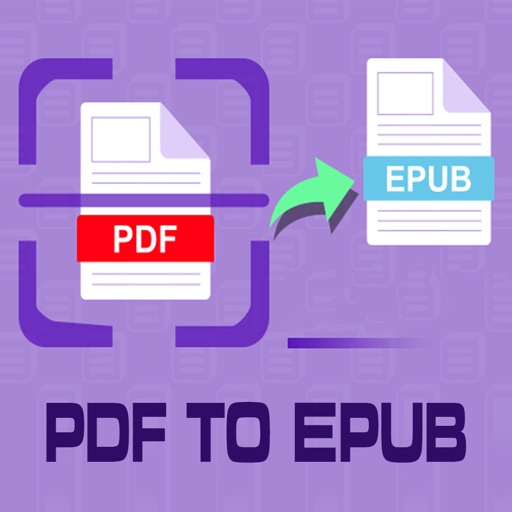
Convert PDF files to format for mobile reading. Edit text, adjust fonts, and customize margins. Export as and share or save to device. Supports iPad, iPhone, and ebook readers.
Spreadsheets with formatting, cell manipulation, and formula support. Create and manage Excel-compatible files. Import and export data. Track changes and collaborate in real-time. Sync across devices and access cloud storage.