Decorate home screen with interactive widgets. Display photos in sorted order or create collages. Add multiple photos at once and rearrange them. Supports transparent and iOS 18 lock screen widgets. Choose from various sizes and refresh intervals.
Create photo collages by combining two images into one. Capture and edit photos with cropping and filters. Add text and stickers to enhance visuals. Share finished collages directly from the .
Create collages by combining multiple photos into layouts. Choose from 50+ grid styles and tree or 3D modes. Edit photos with cropping, filters, and text addition. Share finished collages directly.
Create photo collages using over 200 frames. Select from photo frames or frames in the main menu. Edit photos with cropping, filters, and text. Combine multiple images into a collage. Record and edit videos. Add text and stickers to videos.
Create collages from up to 9 videos. Choose from various frames or none. Add visual and music. Use editing tools to customize projects quickly. Access templates for inspiration. Share finished collages directly.
The app arranges photos, animated GIFs, Live Photos, and videos into justified layouts. Users can reshape collages, reorder media, customize borders, and edit photos before sharing or saving.
Create aesthetic Instagram carousels, collages, and Reels covers. Design multi-slide posts with aligned elements and preview swipe effects. Customize layouts from minimal to layered. Add text, stickers, and filters.
Create collages by selecting layouts, adding photos, and personalizing with frames or templates. Arrange images in grids, freestyle, or pre-designed templates. Share directly to social media or messaging apps.
Edit photos into customizable grids with layout options, shapes, and frames. Add text and messages. Apply filters and effects. Stitch multiple images into a single composition. Export and share edited collages.
Create animated stories using pre-designed templates. Edit videos with collage features and add text. Export final videos for social media platforms. Boost engagement with customizable styles.
Create collages with adjustable layouts and customizable frames. Crop, filter, and adjust speed. Add background music and preview instantly. Export in high resolution and share directly.
The app functions as an AI slideshow maker, video template maker, and photo video maker. It allows users to turn photos into various video formats with music, utilizing over 1000 templates for different occasions.
Create professional ID photos with automatic portrait drawing and background replacement. Adjust background colors instantly. Choose from various dress options. Save ultra-high definition images for use.
Crop and rotate images into various shapes. Add text, arrows, and shapes for annotations. Pixelate sections or draw freehand. Share edited photos directly with contacts.
Edit photos with filters, effects, and adjustments. Add text with multiple fonts, colors, and effects. Overlay text or add captions and 3D text. Include stickers, artwork, and frames. Create collages and personalize cards with photos.
Design recommendations and collages with customizable layouts and text. Add covers from a large library without searching online. Share creations directly to social media platforms.
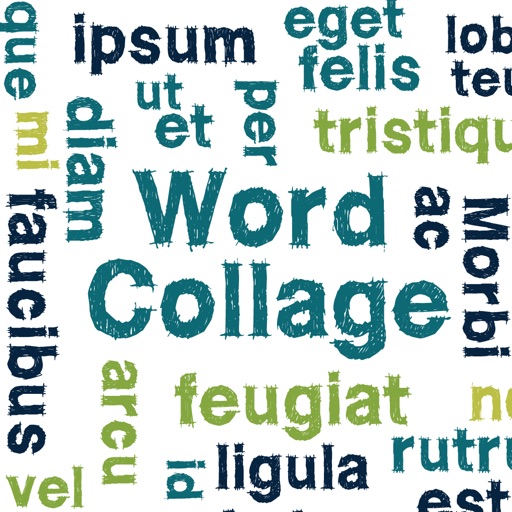
Create clouds by selecting color themes, fonts, and layouts. Choose from six layouts including horizontal, vertical, and half and half. Input text to generate clouds where common words appear larger.