Apps Like Hands-On Math Hundreds Chart for iPhone and iPad
Explore math concepts interactively on the chart.
The app provides an interactive hundreds chart for students to explore mathematical concepts like skip-counting, number patterns, and multiplication. Students use colored markers to discover mathematical relationships on the virtual chart.
by Ventura Educational Systems★ 3.01 ratingsEducation$2.99Data updated 2026-09-23
The app allows visualization of number sequences for counting, comparing, adding, subtracting, multiplying, and dividing. Students can use whole numbers, fractions, decimals, or negative numbers on the number line.
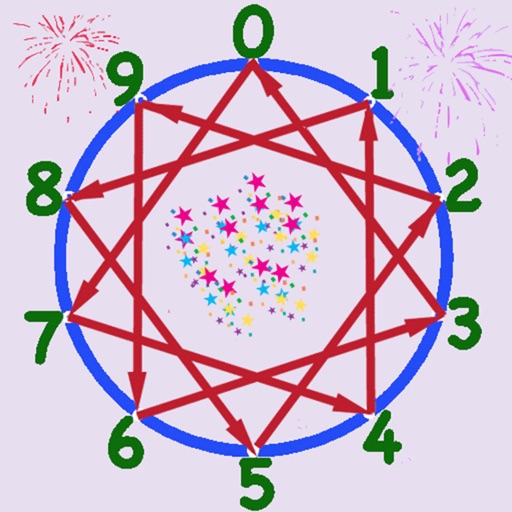
Learn multiplication through interactive audiovisual patterns. Adjust point count and select tables from 2× to 8×. Observe geometric shapes formed by connecting points. Explore mathematical relationships through visual and auditory feedback.
Solve number puzzles by replacing digits to achieve consistent results across all directions. Perform actions left to right, ignoring mathematical order. Use hints when needed. Play offline with no internet required.
Learn with a dynamic periodic table, element details, and polyatomic ions. Explore acid strengths, electronegativity, and reactive series. Access definitions, molar mass calculations, and a unit converter. Quick access to YouTube channels.
Solve mathematical problems by taking a . Receive step-by-step solutions with explanations of applied rules. Handle equations, word problems, and challenges from basic to advanced levels.
Learn fractions through educational games featuring mental calculation exercises. Practice representation, addition, subtraction, multiplication, division, equivalent fractions, and reduction. Play solo or in multiplayer mode.
The app uses a number line bent into a circle to reveal mathematical patterns. Kids can explore multiplication tables through a playful calculator and visual rewards.
Practice multiplication and division with interactive games and challenges. Learn fractions and other concepts through adaptive lessons. Track progress with colorful animations and receive instant feedback on answers.
1 provides curriculum-aligned exercises for 6-7 year olds. Features include problem-solving activities, scratch pad for writing solutions, flash cards, and activity books. Supports US Common Core standards. Allows tracking of skills and progress.
Explore mathematical concepts through interactive animations. Manipulate geometric shapes and patterns to create visual art. Discover relationships between variables and observe transformations in real time. Save and share generated images.
The app is a mathematics game set in a medieval environment. Users advance by answering math questions and solving puzzles, collecting stars and medals.
Calculate decayed activity using mCi or Bq units. View decay charts with tap-to-examine features and customizable input parameters. Save chart snapshots to camera roll. Estimate dose rates for isotopes as point sources at specified distances.
The app covers grade 4 math skills including numbers, counting, addition, subtraction, multiplication, division, algebra, graphs, geometry, and fractions. It provides in-depth coverage of these topics for fourth-grade students.
Offers interactive to motivate learning. Covers multiplication, fractions, geometry, and problem-solving. Includes step-by-step lessons to build confidence. Uses AI to adapt to individual progress.
The app provides a graphically rich environment for learning basic math skills. It offers tools like number lines and wooden blocks to explore problem solutions.
Take quizzes on Biology, Chemistry, Geography, and Physics. Explore 3D molecule structures and zoom into microscopic landscapes. Access daily and health news summaries.
Teaches basic language and math concepts through simple videos. Covers animals, vehicles, shapes, colors, numbers, and letters. Promotes reading readiness and literacy. Includes interactive lessons for toddlers to elementary students.
Practice math with addition, subtraction, multiplication, and division. Choose operations, set problem ranges up to 12 or 25, and customize problem sets. Adjust layout for left-handed or right-handed use.