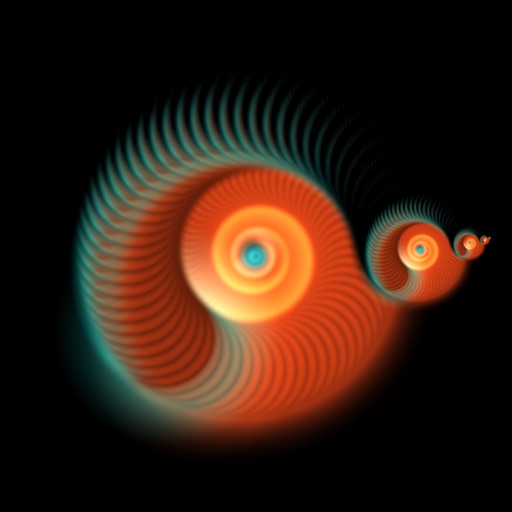
The app generates animated patterns, dynamic collages, and slit-scan photos using camera input. Users can select screen areas to create flowing imagery and interact with one or two fingers.
by Jung-Hoon Seo★ 5.04 ratingsPhoto & Video$0.99Data updated 2026-09-22
Create collages by importing images from the camera roll. Combine photos using hundreds of . Adjust and rotate individual images. Add text and artwork with Pro. Share collages on Instagram.
Create collages using hundreds of templates. Arrange images in custom layouts. Add text, stickers, and effects. Export and share directly to Instagram. Design carousels with seamless transitions. Edit photos with cropping and filters.
Capture photos and videos using connected cameras or device cameras. Adjust settings manually or use automatic modes. Share images directly to social media or email. Print photos on-site or save to cloud storage.
Create collages from selected photos automatically. Print, email, text, and share photos directly. Support for social media platforms. Connect wirelessly to cameras and printers. No sign-up required. All features available for free.
Create collages by selecting photos and applying various . Choose from different frame styles to customize the layout. Adjust image positions and sizes. Save and share the final .
Create collages using 10000+ free layouts, effects, stickers, fonts, and backgrounds. Edit photos with cropping, filters, and text tools. Save and share collages as images or stories.
The app offers over 1000 effects, including AI art styles, background replacement, and makeover options. Users can create unique photo montages and collages with a built-in editor and share their creations.
The app allows users to create HD videos and photo collages with music, AI effects, and voice-overs. It supports up to 12 frame collages, 30-minute videos, and 4K resolution sharing.
Turn photos of pets or objects into customizable patterns for lock screens. Create animated patterns and save as live photos, videos, or GIFs. Use AI to cut out subjects or trace manually. Choose from suggested colors and palettes.
Capture photos with real-time grid lines and flash settings. Use one-touch beautification for selfies. Access weekly updated filters and collages. Add stickers and create collages. Share edited photos directly.
Create and view dynamic fractal patterns that evolve over time. Tap the screen to generate ripples that affect the pattern. Adjust colors and settings to customize the visual experience.
Create memes by adding captions to photos and videos. Use personal images or access a large collection. Make collages with layout tools and apply filters. Add inspirational quotes or comments to share stories and ideas.
Create collages by arranging photos in a . Choose from multiple templates and effects. Adjust layout, add text, and apply filters. Export collages in high definition and share directly.
Create photo collages and composite images using multiple layers. Remove unwanted areas with the background eraser tool. Adjust color tones and export edited photos in various formats.
Create collages by selecting multiple images and arranging them in different grid layouts. Add frames from a collection of 100+ designs to enhance images. Build personal stories by organizing photos and sharing them directly.
Create videos and photos with dynamic movement and sound . Apply pre-designed to photos, videos, or slow-motion clips. Customize during recording or import existing media. Share edited content directly.
Create collages by adding personal photos and selecting from various . Design layouts with text, stickers, and effects. Export and share finished collages directly.