The app generates animated patterns, dynamic collages, and slit-scan photos using camera input. Users can select screen areas to create flowing imagery and interact with one or two fingers.
by Jung-Hoon Seo★ 5.04 ratingsPhoto & Video$0.99Data updated 2026-09-22
Create -scan photos by capturing motion with a moving mode or still mode. Record at 240 FPS for 1920x1080 resolution. Use a 5-second timer for self-portraits. Share generated images directly with friends. Requires a stand or tripod for stability.
Stream files like videos, photos, and documents from a mobile device to a TV. Control TV with touch gestures, act as a remote, and mirror the TV screen to a device for direct interaction. Share camera and microphone input to the TV.
The app arranges photos, animated GIFs, Live Photos, and videos into justified layouts. Users can reshape collages, reorder media, customize borders, and edit photos before sharing or saving.
Edit photos and videos with AI-generated anime styles, including facial enhancements and background effects. Apply filters, adjust colors, and add animated elements. Export edited content in various formats and share directly.
Create collages by combining multiple images or videos. Adjust brightness, contrast, and color. Add text, stickers, and effects. Share finished projects on social media. Save edits in various formats.
Create looping videos and animated GIFs from photo bursts. Capture bursts via Camera on compatible devices. Edit and export as video or GIF. Share creations directly from the .
Choose a winner by placing fingers on the screen and waiting 3 seconds. Customize with 30+ themes and immersive visuals. Assign tasks like cleaning or paying bills. Multiple fingers supported for group decisions.
Create animated from videos, live photos, or continuous shots. Automatically rotate photos. Edit and customize . Share directly with friends or social media platforms.
The app allows users to create picture collages on their iPhone. Users can arrange pictures in various styles, add text, and customize individual picture placement within frames.
View wallpapers that animate on 3D Touch. Browse and select from a catalog of photos. Preview animations in slide mode. Save preferred wallpapers to the Camera Roll.
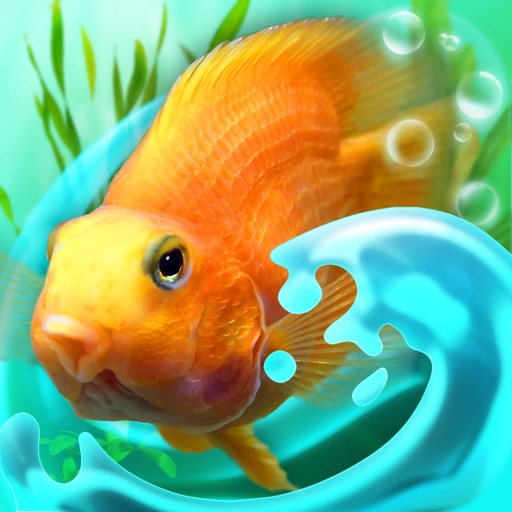
Explore a 3D with customizable tank settings and interactive fish. Select and place various tropical fish species. Feed the fish or tap the glass to interact. Choose between two camera views to observe the aquatic environment.
The app offers hypnotic visuals and soothing animation with responsive music. Users can interact by touching the screen to influence the dynamic visuals and soundtracks.
Create photos with customizable like Fat, Pinch, and Hue. Mix to create unique combinations such as Hulk or Alien. Apply filters, adjust colors, and save or share edited photos.
Select and edit photos from the album or camera. Use the lasso tool to draw a closed path for blurring. Adjust difficult areas with the Touch feature. Apply over 30 effects and fine-tune the selection.
The app warps pictures, making them funny. Users can take new photos or select existing ones to modify by touching the screen or using a random button.
Edit with selective desaturation and colorizing features. Adjust colors and recolor specific areas. Generate high-quality outputs regardless of image size. Share edited directly to social networks like Facebook.
Explore symbolic imagery from nature and global cultures through cards. Draw cards for guidance, interpret meanings, and track progress. Save and share readings. Sync with wearable devices for mindfulness prompts.