Create pages in InDesign with frames and text descriptions. Select a folder to generate documents with specified frames per page. Place files and add text frames with metadata. Options include scanning subfolders and creating title bars.
by Chris Paveglio★ 0.00 ratingsGraphics & Design$19.99Data updated 2026-09-08
Capture and book by scanning text with your device’s camera. Store in a personal collection and share them on social media. Receive daily notifications with random from your collection.
Create using a drawing interface with customizable brushes and pencils. Import and animate vector graphics. Export frames as images or video. Add sound effects and background music. Share directly to social media or email.
Generate images from text or existing images using AI. Edit and refine generated images. Save and share outputs without login or payment requirements. No usage limits or subscription needed.
Create logos using AI-powered design tools. Input keywords to generate unique, high-resolution logos. Edit and customize elements. Export logos in various formats for use in websites, social media, and print.
Apply swaps using AI technology. Choose from various templates to alter hairstyles, outfits, and facial features. Generate headshots, sporty photos, travel images, career portraits, and fantasy styles. Edit and export transformed images directly.
Edit photos with AI-powered enhancements and filters. Generate images from text descriptions. Transform photos into characters like heroes or pirates. Add effects and animations. Share edited content directly.
Magnifier allows users to enlarge on screen and have it read aloud. Enter via tap or voice input. Customize background, font color, and gradient. Adjust reading speed, pitch, and volume. Enable screen flash with customizable intervals.
Create images from or existing visuals using AI. Edit and refine generated images. Export high-resolution images for professional use. Transform images into new creations with advanced AI tools.
Create AI-generated videos from text or image prompts. Choose from cinematic, realistic, and quirky styles. Edit clips with trimming and effects. Share finished videos directly to social media platforms.
Combine GIFs to create animations with multiple clips. Add photos, videos, and music visualizers. Include stickers and text. Export and share finished projects. Edit frames and adjust timing for custom animations.
Convert photos into , anime, or artistic styles with 80+ AI-powered templates. Select a style, upload a photo, and generate a transformed image in seconds. Export and share the result directly.
Generate AI images from text or photos with high-resolution output and clear details. Choose from multiple artistic styles. Edit and refine images directly within the . Save and share generated artwork in various formats.
Convert photos to PDF by capturing document images and saving them as PDF files. Paste or type text to generate PDFs instantly. View and organize PDFs with a clean interface. Share PDFs directly from the .
Create images from text descriptions using AI technology. Upload photos for virtual try-on features. nd customize visuals for design or personal use. Share generated images directly.
Create large posters, banners, or wall art using a regular home printer. Choose between grid layout with fixed paper count or set exact dimensions for the . Print images or PDFs across multiple pages and assemble them into one large piece.
Add frames, patterns, colors, and blur effects to profile pictures. Adjust background color and apply instant DP borders. Resize and rotate images for Instagram. Post full-size photos without cropping. Create images for social media.
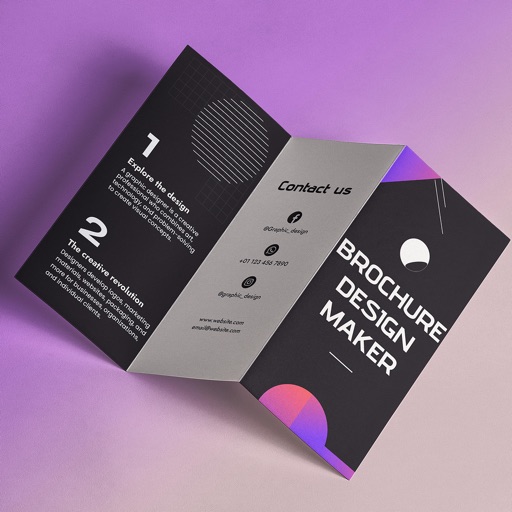
Create brochures by selecting from 2500+ templates across industries like business, travel, and education. Edit layouts, add text, images, and graphics. Export as PDF or print directly. Save and share designs.
The app allows users to create personalized folder icons for macOS. Users can customize folders with PNG images, text, or artwork, applying new icons by dragging them onto folders.