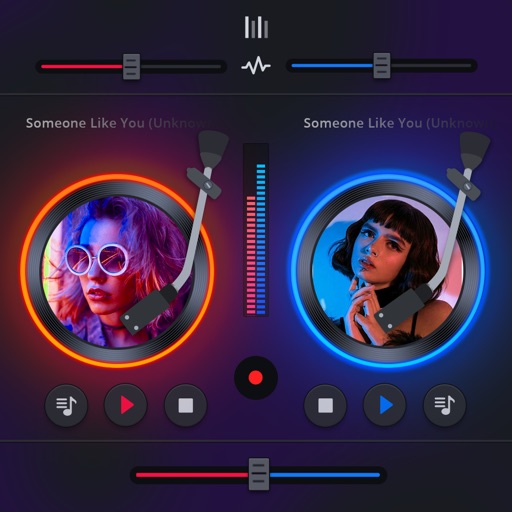
The app integrates with local music libraries and SoundCloud for DJ mixing. It offers tools like tempo sync, looping, and EQ for precise song blending and recording capabilities.
by Apollo Vibes, LLC★ 0.00 ratingsMusicFreeData updated 2026-09-21
Control nearby AirPlay speakers, amplifiers, and TVs by grouping, ungrouping, and syncing them. Adjust bass, treble, volume, and use presets for different music genres. Manage and personalize favorite songs and artists.
The app allows users to create a musician profile highlighting skills, instruments, influences, and interests. Users can explore profiles of other musicians and bands, connect with them, and share information through in-app messaging.
Build and customize cars from scratch using hundreds of parts and paint jobs. Compete online against friends in car hopping challenges. Choose from 7 car models and personalize with music from SoundCloud or MP3 files.
Manage collections from YouTube, Apple , iPod, PC, and cloud storage. Adjust bass, treble, and equalizer for enhanced sound quality. Play queue with add, delete, and organize song capabilities. Access 100K radio stations.
Play files from your device library. Organize songs into playlists, folders, albums, and artists. Import and play on Apple Watch . Supports multiple audio formats. Sync with CarPlay for in-car playback.
Use AI to separate vocals from tracks. Edit audio by isolating instruments or removing vocals. View real-time lyrics during playback. Export modified tracks in various formats. Share edited content directly.
Manage and play files from iCloud, Dropbox, Google Drive, and OneDrive. Support MP3, M4A, WAV, FLAC, and other formats. Edit metadata and cover art. Convert audio and video to audio. Organize by artist, song, or album. Import from iTunes or library.
Play with gapless playback, crossfade, shuffle, and repeat options. Manage a personal library with sorting and tagging. Support high-resolution audio files up to 96kHz/24-bit via USB.
Create and mix music using modular devices like samplers, mixers, and effects. Add sequencers and effects plugins. Customize setups with expandable gear. Import and export audio files. Connect to external hardware and software.
Create and mix audio tracks with DJ tools, access from media or cloud storage, use high-quality pads and loops, apply filters via swipe gestures, and adjust pitch with the Pitch Key A feature.
Access music from ZIN™ Now and personal library. Search tracks by keyword, rhythm, and BPM. Customize songs with sound effects and trimming. Add water breaks. Receive song suggestions based on playlists. Access Mega Mix choreo and specialty videos.
Allows users to access music files stored on their PC, Mac, network drive, or Time Capsule. It scans and organizes music libraries, enabling playback on iOS devices without syncing. Users can browse and play tracks directly from their local storage.
The app allows users to play back multitracks, loops, and click tracks for worship or rehearsal. It offers features for changing song keys and tempos, customizing arrangements, and managing setlists with click track metronomes.
Organize and manage playlists across Spotify, Apple Music, SoundCloud, Google Drive, and Dropbox. Automatically retrieve BPM, key, and track details. Tag tracks by mood, energy, or set segment. Reorder and export playlists.
Stream and organize with storage. Create custom playlists and sync across devices. Download MP3s for offline playback. Manage libraries and access songs from multiple sources.
Manage playback with a 3D DJ interface featuring turntables and a 3-band EQ . Access a library to organize files and create custom mixes. Adjust volume and effects in real time during playback. Sync with external devices for live mixing.