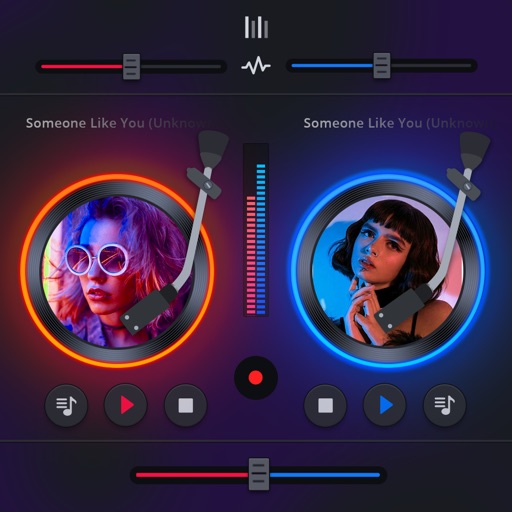
Access from iTunes and iCloud libraries. Mix tracks with crossfade effects. Adjust tempo and pitch in real-time. Use built-in melodies and sound effects. Create custom remixes and save projects. Share mixed tracks directly.
Mix tracks from multiple sources. Apply DJ effects and remix songs instantly. Use sampler and hardware controls to create custom mixes. Share finished mixes directly.
Stream and download songs, albums, and playlists without a subscription. Create and share custom playlists. full tracks with unlimited skips and repeats. Background playback is supported. No login required for basic features.
The app provides tools for recording vocals, creating beats, and mixing demos. It offers virtual instruments, audio presets, and AI-powered features for music creation.
Create from text, images, or videos using an AI model. Generate fully produced and beats with prompts. Edit and refine tracks. Export and share finished compositions.
Stream from SoundCloud Go+ and local files via cloud services. Import tracks in multiple formats. Organize library by title, artist, album, bpm, key, rating, or duration. Create custom playlists.
Manage playback with a 3D DJ interface featuring turntables and a 3-band EQ . Access a library to organize files and create custom mixes. Adjust volume and effects in real time during playback. Sync with external devices for live mixing.
The app offers access to over 180 million songs in HiRes lossless sound quality. Users can discover new music through personalized mixes and curated playlists, with an option for offline listening.
Mix music from Spotify or Apple Music. Create and control DJ sets with beat matching, effects, and crossfading. Access a vast library of songs. Perform live mixes using touch controls and audio routing.
View and playback guitar, bass, and drum with realistic playback. Access unlimited learning features like speed control, looping, soloing, muting, and pitch shifting with a subscription. Export and share chord progressions.
Mix and perform live with a 2-deck DJ setup. Import and sort music by title, artist, album, BPM, or length. Apply real-time Pro-grade FXs and use over 70 one-shot samples and 12 loops. Access Soundcloud library for tracks.
Record audio with multi-track editing, apply effects like reverb and EQ, and adjust volume levels. Add background music and export in various formats. Share recordings directly from the .
Create using various sounds, beats, and professional effects. Record custom sounds with a microphone. Access beginner-friendly tutorials. Publish tracks, rate others' , and view top tracks and studios.
Explore trending music and discover new tracks. Search for favorites and bookmark them in your library. Create and share playlists. Customize light or dark color themes.
Play without internet or WiFi. Import and save tracks in formats like MP3, FLAC, WAV, and AAC. Transfer to iOS devices. Create and manage playlists. Control playback with headphones. Adjust equalizer settings.
Create and mix DJ sets using decks and beat matching tools. Access a library of tracks for playback. Learn mixing techniques through tutorials and step-by-step guides. Adjust equalizers and effects in real time. Save and share custom mixes.