TaskBadges
Rico Gundermann
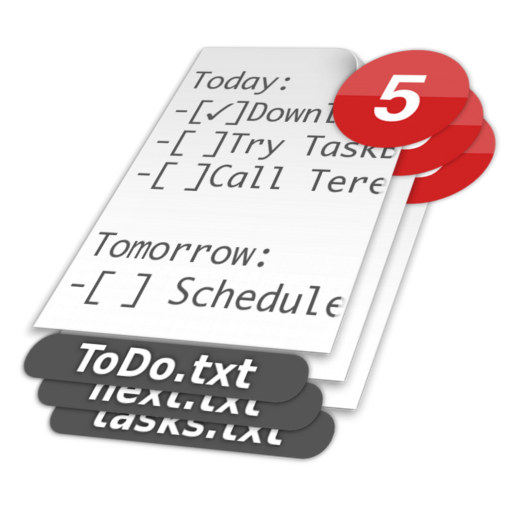
Open tasks shown on file icon.
The app displays the count of open tasks from a plain-text to-do list on the file's icon. Users can view remaining tasks by looking at the file icon.
Manage tasks with a text file.
The app stores to-do lists in a text file. It displays the next task and a summary of remaining tasks from a menu icon.
Showing 1–20 of 1,000 ranked alternatives.
Rico Gundermann
Open tasks shown on file icon.
The app displays the count of open tasks from a plain-text to-do list on the file's icon. Users can view remaining tasks by looking at the file icon.

Todoist Inc.
Manage tasks, sync across devices, prioritize work
Create tasks, set priorities, and track progress with customizable lists and due dates. Add notes, tags, and reminders. Sync across devices and collaborate with team members. Import from other apps and set recurring tasks.

AIR APPS SYSTEMS, UNIPESSOAL, LDA
Manage tasks, set reminders, and organize
Manage schedules, set reminders, and organize tasks. Write and summarize articles, create outlines, and draft emails. Access real-time information and integrate with calendar apps for seamless task management.

Qrayon, LLC
Organize ideas
Create and organize digital for brainstorming, planning, and note-taking. Arrange on a virtual board to visualize ideas or workflows. Add text, sketches, or notes to individual . Sync across devices and export content as needed.

ED Technology LTD
Chat, call, manage tasks, share files
Manage team projects with task tracking, file sharing, and chat features. Conduct video calls and collaborate in real-time. Access shared documents and images within a unified workspace. Set up custom workflows and integrate with other tools.

BUTTERFLY EFFECT PTE. LTD.
Plan, execute, and complete tasks
Create and manage to-do lists by breaking down tasks into subtasks. Execute actions like scheduling meetings, sending emails, and organizing files. Set reminders and track progress across multiple projects.

Kirill Dyakonov
Solve tasks to boost focus and speed
Improve focus, reaction speed, and mental agility through timed arithmetic exercises. Track progress with performance metrics. Adjust difficulty levels to challenge users. Sync results across devices for consistent practice.


FunRoutine INC
Capture notes, plan tasks, organize ideas
Capture notes and ideas instantly. Tag and assign items for quick access. Complete to-do tasks with one-swipe. Upload photos and files from your device. Organize ideas with infinite nesting. Manage activities using kanban boards.

Zoho Corporation
Customize chat, automate tasks, integrate tools
Create and manage channels for . Assign tasks, set deadlines, and track progress. Integrate with third-party tools for automation. Customize chat settings to fit business workflows. Share files and messages within channels.

Onfleet Inc.
Receive tasks and complete deliveries
Receive real-time delivery tasks with customer details and order information. Access navigation using Apple Maps, Google Maps, Waze, or Here We Go. Track delivery progress and avoid traffic.

Ivan Peleshok
Record audio, select files, edit text
Record audio or select saved video files. Paste public links or upload text. Write notes or scan documents. Use AI to transcribe voice messages and organize content. Edit and share notes directly.

Webringg Ltd
Receive jobs, track progress, complete tasks
Receive and complete jobs on the road with real-time task notifications and job details. Accept or reject assignments instantly. Capture customer signatures and photos linked to job locations.

TeuxDeux, LLC
Simple syncing paper for organization
The app provides a streamlined view of daily tasks, similar to a paper to-do list. It offers automatic task rollover and recurring to-dos for managing commitments.

IME LAB FZCO
Send messages, make calls, and use AI
Secure messaging with end-to-end encryption allows sending and receiving texts, images, and files. AI assistant provides text, voice, and video responses, generates ideas, summarizes content, and explains concepts.

Scentsy Inc.
Manage tasks, track sales, and organize
Manage customer interactions with task lists and communication tools. Track sales performance and team progress. Access resources for customer service and business management. Organize schedules and streamline administrative tasks.

Huu Phuoc Loi
Manage tasks, track progress, organize daily goals
Create tasks with or without due dates, reminders, recurrence, and address. View current, next, and completed lists. Track upcoming tasks with visual and numeric day counters. Change status manually. Remove ads via in- purchase.


Astrio, LLC
Create lists of things to watch
Create lists for watching, reading, playing, listening, and more with unlimited groups and categories. Add any content type, organize into custom categories, and manage tasks or media consumption efficiently.

Yohan Yi
Plan tasks, schedule events, and track progress
Intuitive calendar lets users schedule events and manage tasks. Quick notes feature allows saving and retrieving important details. Customizable calendar lets users track errands and plan projects.
Apps are ranked by functional similarity, category fit, rating confidence, and popularity.