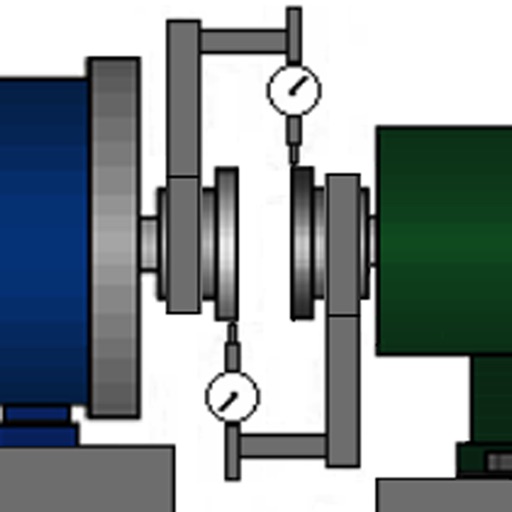
The app calculates machine shaft alignment corrections using multiple methods. It generates PDF reports with user signatures, sketches, audio, and image attachments, and allows saving alignment sessions for later review.
by Motionics, LLC★ 5.02 ratingsProductivityFreeData updated 2026-09-20
Access project data including station, alignment, and offset details. View location-based records from bid to close. Share pictures, chats, and e-tickets. Collaborate with experts for support and configuration.
Create and manage tables with unlimited folders. Add, copy, and duplicate rows and columns. Customize cell properties including color, font, and alignment. Perform batch operations like sorting, deleting, and searching.
Scan cards or TCG cards to get instant analysis. View detailed breakdowns of centering, edges, surface, and corners. Compare grades to professional standards. Save and share results directly.
Measure horizontal and vertical angles with precision. Set reference points and receive haptic feedback for alignment. Mark reference points and adjust settings for accurate measurements.
Create detailed technical illustrations and artistic designs with vector editing tools. Draw, reshape, and color elements with precision. Import and export files in multiple formats. Use layers, masks, and effects for advanced design work.
Write essays with APA, MLA, Chicago, and Harvard styles. Automatically format in-text citations, footnotes, references, and page layout. Generate bibliographies and adjust margins and spacing. Export documents in standard formats.
Edit Markdown files and export to PDF or HTML. Sync documents with cloud services like Dropbox and Box. Generate PDF and HTML from Markdown content. Store and manage .md files and exported documents.
Create custom forms for data collection. Fill out forms offline and sync data when connected. Share completed forms with team members. Track form submissions and manage data entries. Export data in multiple formats.
Helps users find Polaris or Sigma Octantis for polar alignment. It displays current direction, elevation, latitude, longitude, and altitude. Users can check alignment status and adjust setup accordingly.
Program camera mounts for astrophotography and time-lapse photography. Adjust settings for exposure and interval. Perform polar alignment using the polar scope. Sync with Sky-Watcher equatorial mounts. View camera status and control shutter remotely.
Control and monitor 2-axis digital levels via Bluetooth. Perform simultaneous levelling and angle measurement. Conduct 2D alignment tasks remotely. Adjust settings and view real-time data on the mobile device.
Track with real-time feedback using image analysis or head tilt tracking via AirPods. Receive personalized exercise recommendations to improve spinal alignment and reduce back pain. Set reminders and monitor progress over time.
Measure angles and check surface flatness for home projects. Calibrate the tool, use hold mode, and auto fade when not in use. Display angles numerically and ensure verticality for walls or roofs.
Open websites, apps, and run shortcuts from the Lock Screen. Add unlimited widgets with customizable icons and alignment. Include spacer widgets for precise layout control.