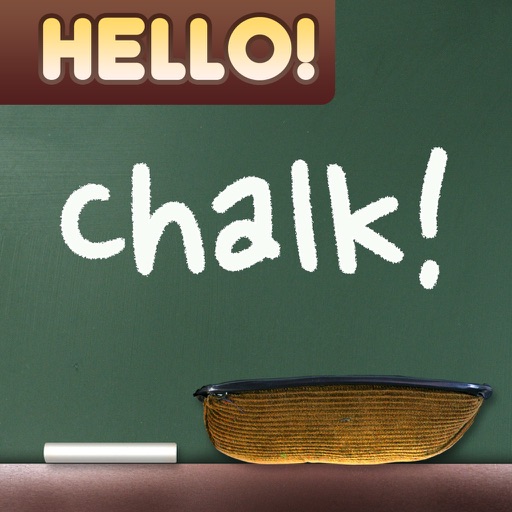
Create drawings with realistic , blackboard, and marker pen textures. Add sound effects during drawing. Use an intuitive interface to sketch lunch menus, todo lists, and humorous images.
by Raysoft.co★ 4.534 ratingsEntertainmentFreeData updated 2026-09-08
Children can draw and color using 8 different brushes including crayon, pencil, paintbrush, paintball, chalk, sponge, stickers, and stars. They can choose from over 100 pages. The includes fun effects, sounds, and stickers to enhance creativity.
Play Tic Tac Toe by tapping a 3x3 grid to make moves. Win by getting three in a row with animated celebrations. Customize themes and gameplay settings.
A game allows offline art creation without ads. Users can color and draw princesses, unicorns, and animals. Features include animated elements that react to color, confetti effects, and a sketchbook interface for creative sessions.
Create digital artwork with realistic painting and drawing tools. Use exclusive brushes mimicking real-world art mediums. Simulate fluid watercolor effects. Adjust brush settings for precision. Export artwork in various formats.
Create drawings with realistic pencil, marker, and crayon tools. Choose from bright and soft color options. Use notebook-style pages for sketching, doodling, or coloring. Save and share drawings directly.
Solve mysteries by searching for clues in realistic scenes. Navigate through detailed environments to find . Complete puzzles to progress through the story. Unlock new cases and locations as you advance. Track progress and view hints when stuck.
Create art with and drawing tools. Select from animal images like dolphins, bats, and lions. Use brushes and pencils to color. Save and share finished artwork. Features include animated visuals and interactive elements for young children.
Allow users to fill in pictures with various colors. Drawing let users create their own artwork. A scribble pad provides a space for freehand drawing. Sticker lets users add stickers to images.
Draw on whiteboard, blank canvas, or images using pen, line, arrow, and shape tools. Edit photos with filters, adjustments, effects, and crop options. Customize tool size and transparency. Add text, stickers, and emotions.
ARCADE PUZZLE SOFTWARE SERVICES JOINT STOCK COMPANY
Play, , and solve puzzles
Solve puzzles by erasing, drawing, and using X-Ray features. Help a girl progress through story-based challenges. Track progress and unlock new levels. Share solutions with friends.
Help cats clean by sorting photos or drawing. Assist kittens in preparing for sleep. Interact with and friends through storytelling and creative tasks. Track progress and complete bedtime routines.
Generate random, silly, and unique drawing prompts. Share ideas on social media with the # hashtag. Pair with digital or traditional drawing tools to create art based on prompts. Save and organize generated ideas.
Pages allows users to select from 300+ pages and add stickers or special effects. Mystery paint feature lets users create unique drawings. Save and load progress. Share drawings via preferred platform. Create custom drawings or wallpapers.
Color by number game allows users to select and fill numbered sections with colors. Complete puzzles by matching numbers to colors. Choose from various themed images. Save progress and share completed artwork.
Apply to Minecraft PE characters. Preview in high quality 3D. Support both 64x32 and 64x64 resolutions. Choose from curated collections of . Select and apply directly within the .
Pages allow users to select and customize images. Users can choose from various animals and colors. Features include saving progress, sharing completed artwork, and accessing a library of printable pages.
The app simulates watercolor blending and spreading behaviors using fluid simulation technology. It supports techniques like wet-in-wet, wet-in-dry, dry brush, and dry on wet, along with pencil sketching.
Can color and draw on various images. Choose from multiple templates and customize with colors. Save creations and share them with others. Learn basic art techniques through interactive activities.
On a virtual surface with finger or stylus input. Choose from various drawing tools and colors. Save and share creations directly. Supports touch and pen interaction for precise drawing.