Apps Like Image Effects and Filters for iPhone and iPad
Create custom images with effects.
The app provides users with approximately 100 Core Image Effects and Filters for image manipulation. Users can transform images by cropping, adding noise, tiling, changing colors, adjusting brightness and contrast, and applying various distortions.
by Dmitry Kozlov★ 0.00 ratingsGraphics & Design$4.99Data updated 2026-09-20
Edit photos adjustable temperature, tint, and exposure settings. Use texture blending tools and apply effects. Add stickers opacity and shadow control, and include text 3D effects and multiple fonts. Crop, rotate, and straighten images.
Edit photos by blurring backgrounds, faces, or specific subjects. Apply various effects and filters. Save edited images to the camera roll or share them directly.
The app offers video editing tools for creating professional quality videos. Users can fine-tune visual effects, adjust playback speed, stabilize footage, and add images and audio.
Stylize photos using over 500 AI art styles from various movements. Edit and retouch images with professional tools. Work offline with on-device AI models. Keep data private with no cloud storage. Export edited images in multiple formats.
Create photo montages, collages, and custom . images by erasing, changing, or adding backgrounds. Cut people from photos and them onto new images. Decorate with personal photos and fun .
Photo montages, collages, and custom . Edit images by erasing, changing, or adding backgrounds. Cut people from photos and place them on new images. Add personal photos and decorate with fun .
Turn photos into videos by selecting an image and removing the background. Choose from several backgrounds and apply pop effects, drop shadow, or outline. Add background music and share the final result.
Edit photos with stretching, squeezing, pinching, and prodding tools to create surreal effects. Apply advanced image manipulation techniques similar to professional software. Export edited images in various formats and share directly.
The app joins photos vertically, horizontally, or in 2D by blending or abutting them. Users can edit individual photos or the blend output in the image editor, supporting up to 16 photos.
Edit videos with trimming, splitting, and merging tools. Add text, stickers, and background music. Apply filters and transitions. Export in various formats and share directly. Remove watermarks and adjust audio settings.
Edit photos by selecting from a gallery or capturing new images. Apply unique and not found elsewhere. Adjust background colors and photo size. Combine multiple with a single tap. Export and share edited photos.
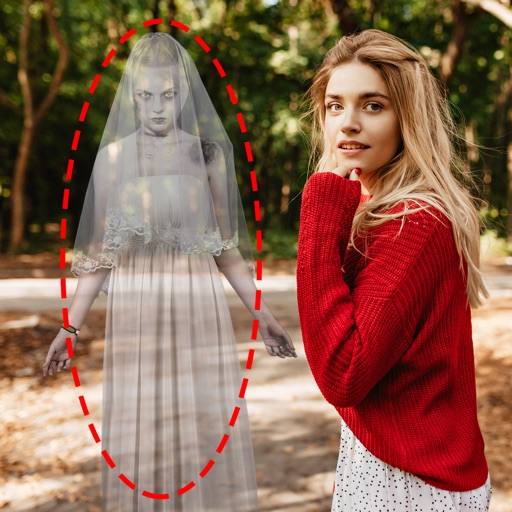
Edit photos by adding ghosts, monsters, or zombies from 62 options. Adjust transparency, color, saturation, brightness, and contrast for each creature. Position and resize creatures freely. Share finished photos with friends.
Record HD videos and movies. Apply filters and effects. Crop and rotate videos. Adjust contrast, saturation, brightness, and temperature. Fine-tune colors and create custom filters. Use presets. Export in high resolution. Share videos directly.
Create photos and videos using pre-designed templates. Add stickers and apply image effects. Choose from 37 themes. Combine videos with memes and popular audio tracks. Record and edit content with touch controls.
Edit photos with filters, , and cropping tools. Add text, stickers, and borders. Adjust brightness, contrast, and saturation. Export in various formats and share directly.
Edit with filters, stickers, and emojis. Create photomontages with built-in effects. Apply artistic tools for detailed edits. Add with customizable fonts and colors. Export and share edited images directly.
The app allows users to add text captions to photos and share them. Users can select from 78 custom fonts and 41 layer effects, including banners, thought bubbles, frames, and emojis, to enhance their captions.