Daydream Doodler
Norbyte
Draw art with a cartoon style.
The app offers cartoon-inspired drawing tools, including Pen and Eraser. It features fingertip stroke size adjustment and full Apple Pencil support.
Practice drawing and sketching skills easily.
The app provides a translucent canvas with a grid for users to practice drawing and sketching. Users can trace photos from their library, adjust size and location, and use tools like an eraser, undo/redo, zoom, rotate, pan, and flood fill.
Showing 41–60 of 1,000 ranked alternatives.
Norbyte
Draw art with a cartoon style.
The app offers cartoon-inspired drawing tools, including Pen and Eraser. It features fingertip stroke size adjustment and full Apple Pencil support.

Vitalij Schaefer
Resize images in pixels, millimeters, centimeters,
Resize images by specifying dimensions in pixels, millimeters, centimeters, or inches. Maintain aspect ratio by linking width and height fields. Save, email, print, or share the resized .

Ivan Hulidau
Sketch and draw with built-in brushes
Create sketches and drawings using built-in brushes and canvases. Trace real-world images with AR technology. Save and share artwork directly. Adjust brush size and opacity for detailed work. Import images to base drawings on.

SkyApps, TOO
Sketch figures and garments step by step
Learn to sketch figures and garments with step-by-step guidance. Create and manage layers for detailed illustrations. Use AI tools to generate clothing and accessories in specific styles. Add body types including models, women, men, and plus size.
SUNG CHEOL KIM
Draw sketches with many pencils.
The app provides users with 48 pencils and 41 papers for creating sketches. It includes features such as layers, zoom functionality, an eyedropper tool, and undo/redo options.
HIDEHIKO NAGANO
Create pixel art for beads easily.
The app allows users to create pixel art for iron-on beads and bead stitching. It supports importing and scanning photos into a pixel art canvas with adjustable sizes and various bead shapes.


i-App Creation Co., Ltd.
And edit videos in seconds
And edit videos and photos in any size or ratio quickly. videos to format with pinch, zoom, and drag features. Add keyframes for creative control. Adjust speed, apply slow motion, reverse, or freeze frames. Resize, rotate, and fill backgrounds.
Kozo Terai
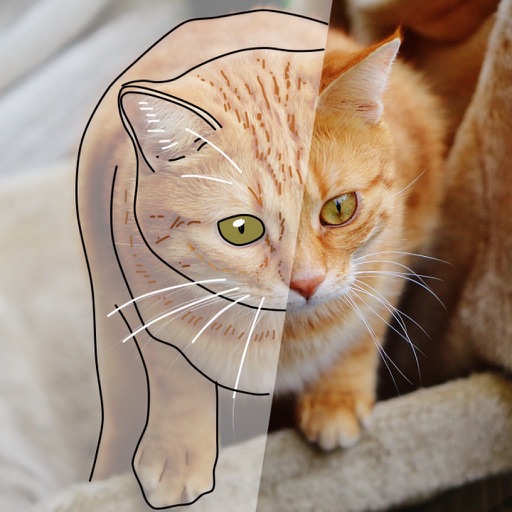
Over images with precision
Over image templates with automatic pen tracking for accurate . Select from preloaded categories like animals, flowers, and vehicles. Choose from over 150 colors to customize drawings. Export final artwork in various formats.

伟典 苏
Draw, edit, and share handwritten notes
Create handwritten notes and drawings with customizable brushes and erasers. Use vector tools for precise shapes and annotations. Add text, highlights, and special line effects. Save and organize digital sketches and journal entries.
Yamstu Inc.
Draw on iPhone with Mac support
Use iPhone as a connected via USB to mirror Mac screen. Draw with Wacom stylus and 3D Touch. Control canvas with touch gestures for zoom, scroll, undo, and redo. Connect securely for real-time screen mirroring.

Sylwester Los
Stretch and distort photos creatively
Edit photos with stretching, squeezing, pinching, and prodding tools to create surreal effects. Apply advanced image manipulation techniques similar to professional software. Export edited images in various formats and share directly.
Catalystwo, LLC
Doodle sketch draw write notes
The app allows users to doodle, sketch, draw, and write notes. Users can add pictures to notes and share their creations.
Lofopi Ltd
Create art with advanced digital tools
Create digital artwork with realistic painting and drawing tools. Use exclusive brushes mimicking real-world art mediums. Simulate fluid watercolor effects. Adjust brush settings for precision. Export artwork in various formats.

MITSUKO MARGOT KUBOTA ONO
Draw, erase, and share instantly
Draw and sketch with pen, eraser, or lasso tools. Adjust pen thickness and color. Change canvas background color. Zoom and pan the canvas. Save and share drawings in one step.

Marco Antonio Pompei
Draw with simple strokes
Create mandala paintings using vector-based tools. Zoom smoothly for precise details. Choose from various colors and brush styles. Save and share drawings directly. Adjust layer settings for customization.

John Rouda
Draw, wipe, and draw again.
The app provides a digital whiteboard experience for drawing and sketching. It offers multiple marker colors and tip sizes, with undo/redo functionality and the ability to save drawings.
Apps are ranked by functional similarity, category fit, rating confidence, and popularity.