Set a by turning a knob or entering time manually. Start or pause countdowns instantly. View recent timers for quick access. Display countdown time as an icon badge. Set alarms with custom sounds that play even when the is not active.
by Jan Bolz★ 4.7300 ratingsUtilitiesFreeData updated 2026-09-08
Customize timers with adjustable reps, sets, colors, and sounds. Choose between detailed view with auto-scrolling intervals or full-screen mode. Support portrait and landscape orientations. Track progress with visual cues and controls.
Create timers for upcoming events and dates. Set reminders for birthdays, diet periods, workouts, and holidays. View remaining time in days, hours, minutes, and seconds. Receive notifications when time is up.
Set timers for cooking, workouts, meetings, and other tasks. Customize colors for personalization. Set alarms with sound options. Pause and reset timers manually. Track elapsed time and remaining duration. Share timer sessions via social media.
Track past and future events with precise countdowns and reminders. Set custom widgets to display countdowns on your home screen. Adjust event details, receive notifications, and share countdowns with others.
Set custom intervals for repeating tasks. Randomize durations to add unpredictability. Track elapsed time and manage multiple timers simultaneously. Pause, resume, and reset timers manually.
Schedule and manage recurring events with custom reminders. Set multiple alarms with snooze options. Track time spent on tasks and projects. Sync across devices and receive notifications for upcoming events.
Track time with a distraction-free that repeats at set intervals. Use vibration instead of sound. Run in the background. Choose from interval, total time, or countdown modes. Pause or cancel via notification.
Track time spent on activities with manual logging or automatic timers. Set goals and monitor progress over time. View history and analyze time distribution across tasks.
Set alarms with customizable sounds including melodies, nature tones, and energetic beats. Adjust volume and repeat settings. Snooze multiple times with adjustable intervals. View a digital face with time, date, and weather information.
Track time with customizable Pomodoro intervals. Start and stop sessions, set break durations, and receive alerts. Log completed tasks and view session history. Sync across Apple devices.
Set alarms with customizable or nature sounds. View weather forecasts for your location. Display a digital clock with interchangeable themes or a flip clock. Use the built-in flashlight for illumination.
Set a timer using a 60-minute analog interface. Wind the timer with a rotary gesture and tap to start, pause, or reset. View remaining time in large, high-contrast display. Disable Auto-Lock to keep device awake during use.
Create countdowns for events like birthdays or weddings. Add customizable widgets to home screen. Build vision boards with images and notes. Track progress toward long-term goals with visual timelines. Set reminders and update countdowns manually.
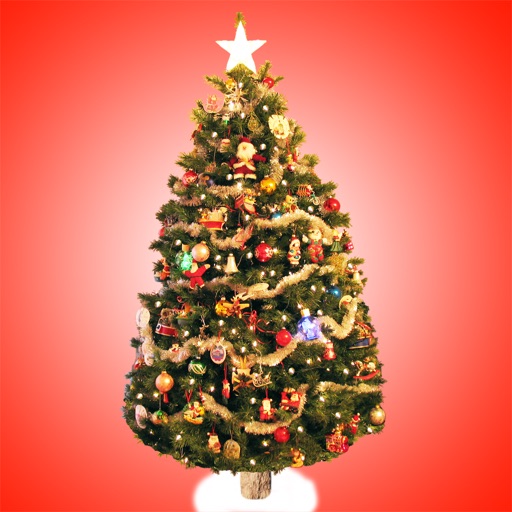
The app displays a countdown to Christmas with animated characters that grow larger as the holiday approaches. Users can select holiday soundtracks or their own music, customize background images, and enable falling snow.
Allows users to create countdowns for events like birthdays and holidays. Set start dates and view remaining . Customize countdowns with labels and notifications. Share countdowns with others. Track multiple events in one place.
Set customized alarms for specific days, weekdays, or dates. Import custom sounds or record voices for ringtones. Plan and manage future alarms in a calendar view. Use a built-in timer for naps, workouts, or cooking.
Countdown to with a timer and calendar. Set wallpapers and start screen images. Access a collection of sound effects for notifications or entertainment. Share content directly from the .
Track important events like birthdays, trips, and movie releases with customizable . Share progress via generated URLs without requiring installation. Display as widgets on home screens with color options and icon patterns.
Turn your iPhone or iPad into a functional watch with a always-on . Adjust brightness manually. Set countdown timers up to 24 hours. Use Pomodoro Technique with 25-minute intervals and 5 or 10-minute breaks.