Calculate cut joints, elbow centerlines, and overall lengths for HVAC offsets. Input angles and dimensions to determine measurements. Avoid manual calculations and trigonometry. Reduce material waste and field cutting.
by Allen Sieler★ 4.325 ratingsProductivity$4.99Data updated 2026-11-01
Convert units across multiple categories on a single screen. Perform calculations with a built-in numeric keyboard. Add custom units and categories. Navigate quickly with minimal scrolling. Supports both basic and complex conversions.
Convert across 20 categories including length, weight, temperature, and more. Perform real-time conversions with 8-decimal precision. Switch between metric and imperial systems. Use scientific notation and dark mode.
The app calculates CNC milling and turning speeds and feeds. It supports chip thinning and HSM machining, suggesting optimum cutting depth and balancing cutting parameters for various materials.
Allows users to check horizontal and vertical alignment. Features include circle mode for simultaneous angle measurement, vertical mode for ensuring surfaces are straight, horizontal mode for flat surfaces, and mix mode combining all functions.
Calculate based on dimensions and material type. Input length, width, and thickness. Select grade for accurate results. Export calculations and share data directly.
Calculate quantities for slabs, footings, columns, walls, steps, and post holes. Estimate block counts and material needs. Provide approximate costs for and related materials.
Convert units and currencies by typing queries in a single input field. Supports over 900 units and 170 currencies. Dynamically recognizes abbreviations and symbols. Search for conversions similar to web searches.
Plan projects by calculating required wood quantities. Input project dimensions and board sizes to generate precise material lists. Estimate waste and optimize cuts to reduce lumber purchases. Export lists for easy reference and sharing.
Calculate Voltage, Current, Resistance, and Power using Ohm’s Law and ’s Law. Input values to solve for unknowns. Display results instantly. Includes formulas for calculations. Supports both direct and indirect circuit analysis.
Calculate quantities by entering project dimensions and selecting units. Choose between cubic yards, cubic meters, or tons. Adjust for waste and view detailed breakdowns. Export results and share with team members.
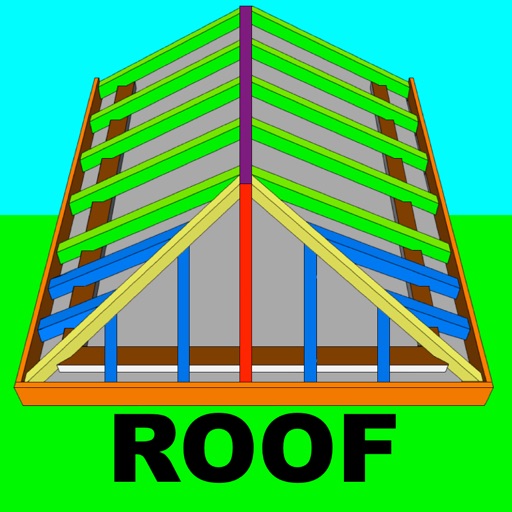
Calculate rafter, hip, and jack rafter lengths with precise angle cuts and birdsmouth dimensions. Input roof dimensions for instant results. Guide users in cutting roof components accurately without trial and error.
Scan objects using AR to create high-definition 3D models locally on your device. Share models as files, via messages, or to Sketchfab. Generate models from artworks, toys, and other physical items using Apple's photogrammetry framework.
Calculate lengths, angles, and area of shapes. Select a shape from a list. Enter values in boxes linked to orange points. Adjust point positions using the NEXT button or tapping points. Retrieve calculated measurements based on input.
Create isometric drawings for plumbing and mechanical designs on iPad. Use preloaded templates and drag-and-drop tools. Export designs in multiple formats. Access a 48-hour trial before subscription. Includes a two-week free introductory period.
Calculator provides tools for calculations. Users can compute shear capacity, critical ratio, effective length factor, slenderness ratio, and allowable compressive stress for columns. Available in imperial and metric units.
Allows users to perform precise calculations with measurements. It tracks errors in fractions and displays rounding discrepancies. Users can switch between decimal and fractional formats. The helps manage layout errors in woodworking projects.